Some photo vault apps are safe. Some are not. The difference can be checked, and you do not need to rely on a star rating or a clever name. You need to read how the app handles keys, accounts and network traffic.
This guide gives six checks. For each one it shows how Weave Vault answers, using only what the app publishes on its security page and support page, and the Pro line on its manifesto page. It also says what no app can promise.
What 'safe' means for a photo vault app
"Safe" has no single meaning. Before you judge an app, decide which threat you are asking about.
Safe from whom: a person holding your unlocked phone, a thief, the app's own company
There are three separate threats.
- Someone who picks up the phone. They may open the app and look around.
- Someone who copies the stored files. They may have the device, or a copy of what is on it, and read the files directly.
- The app maker or its servers. The company may hold your data, your account, or a way to reset your access.
An app can handle one of these well and another badly. Ask about each one.
A lock screen is not encryption
A vault is only as safe as what happens to the files on disk. They are either encrypted with a key the attacker lacks, or they are merely hidden. A lock screen that hides a folder stops the first threat. It does nothing against the second. Encryption is what protects the files when someone reads them without opening the app.
The six checks below let you tell which kind of vault you have.
Check 1: how the files are encrypted
Start with the cipher, then look at the keys. A named cipher is necessary. It is not sufficient.
What AES-256-GCM provides
Weave Vault seals files with AES-256-GCM. Each file gets a fresh random 96-bit nonce and a 128-bit authentication tag. The tag means a modified file fails to open instead of opening as garbage.
Why the key hierarchy matters more than the cipher name
The order of keys is what separates a real design from a label. Weave Vault's order is:
- The unlock pattern.
- Argon2id, a key-derivation function.
- A key-encryption key.
- A random 256-bit per-vault content key, generated by a CSRNG, which the key-encryption key wraps.
The Argon2id-derived key does not encrypt file contents directly. It unlocks the wrapped content key. Per-item subkeys are derived with HKDF-SHA256, defined in RFC 5869. Large files are encrypted in independently authenticated chunks, with a ceiling of 16 GB per file. The details are on the security page.
Question to ask any app: is the cipher named, and is the key derived from your credential or stored beside the data? A key stored next to the files protects nothing.
Check 2: how the unlock secret is hardened
A short secret, such as a pattern, has few possible values. Hardening decides whether an attacker can try them all quickly.
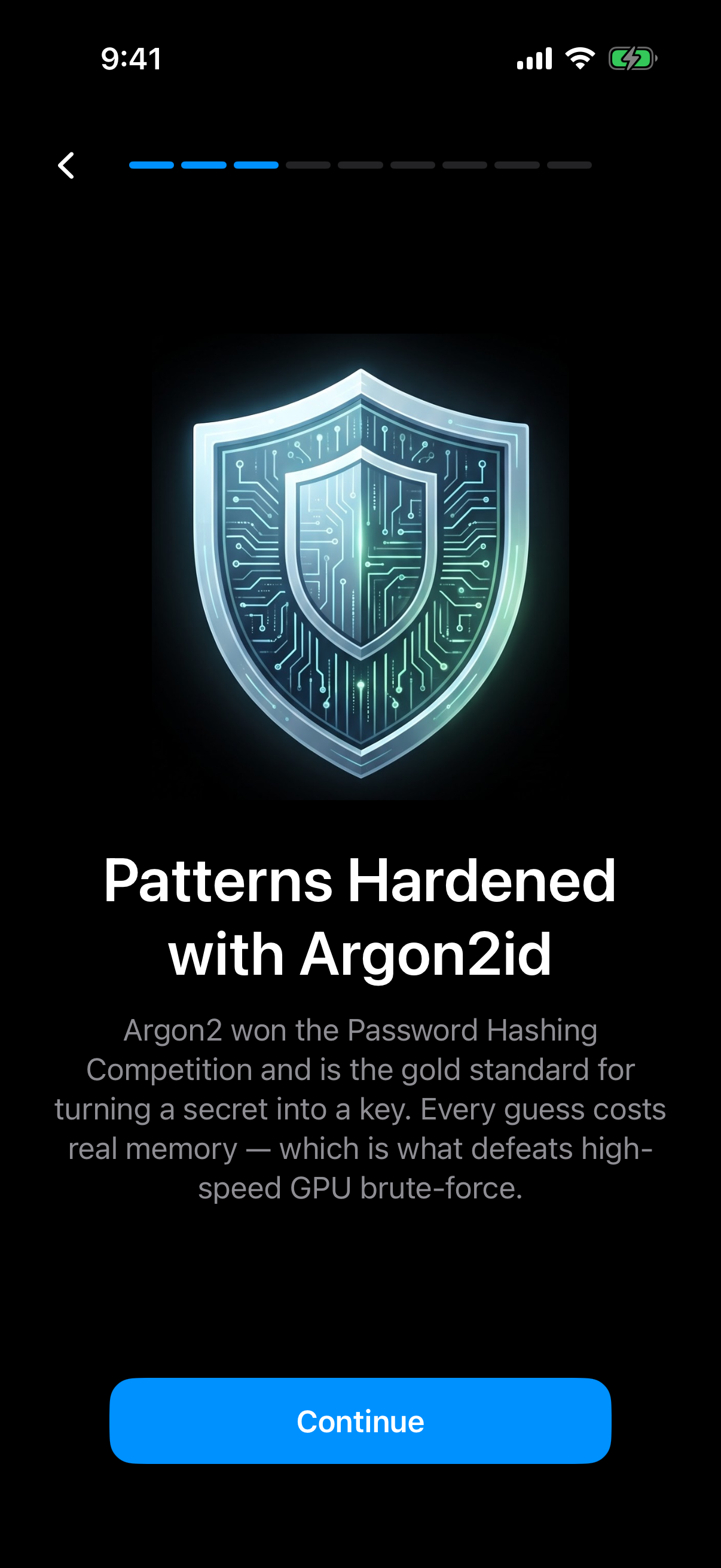 The app's own onboarding explains that Argon2id makes every guess at the pattern cost memory.
Why a pattern needs a slow key-derivation function
Weave Vault derives its key with Argon2id using the parameters in RFC 9106: t=3, m=64 MiB, p=1, over a 128-bit salt. Each guess costs real memory. That slows brute-force guessing.
No time figure is published for how long a brute-force attempt would take, so this guide does not give one. Treat any app that quotes a precise cracking time without showing its parameters with caution.
There is no separate passphrase. The pattern is the only credential. The app's onboarding sets a minimum length and complexity for a new pattern. The current rule is described on the pattern unlock page.
The pattern is never written to disk
The pattern is never written to disk, not to a file and not to the iOS Keychain. This is a checkable kind of statement. It says where a secret is not stored.
Question to ask any app: is the secret stretched with a memory-hard function, and is it stored anywhere?
Check 3: accounts, analytics and network behaviour
The less an app connects to, the less there is to examine. Look at what the app asks of you and what it sends.
No account means nothing to breach or subpoena at the account level
Weave Vault has no account of any kind. No email, no profile, no sign-up, on free or Pro. There is no account database to breach, and no account record to hand over, because none is created.
The app also has no analytics, no crash reporting, and no advertising or attribution SDKs. That is the answer to the common worry about ad-funded vault apps. You can check the claim against the app store privacy label.
What 'no vault-storage server' means
There is no Weave Vault vault-storage server. Nothing is uploaded by default. Weave Vault is also excluded from the phone's ordinary device backup by design, so a routine iCloud or Finder backup of the phone never contains it.
Checklist item: read the app store privacy label and the app's own privacy page. For Weave Vault the privacy page is /privacy on weavevault.app. Compare what it says with what the label declares. They should agree.
Check 4: backup, and who holds the copy
Backup is where many private apps quietly send data to the vendor. Ask where the copy goes and who can read it.
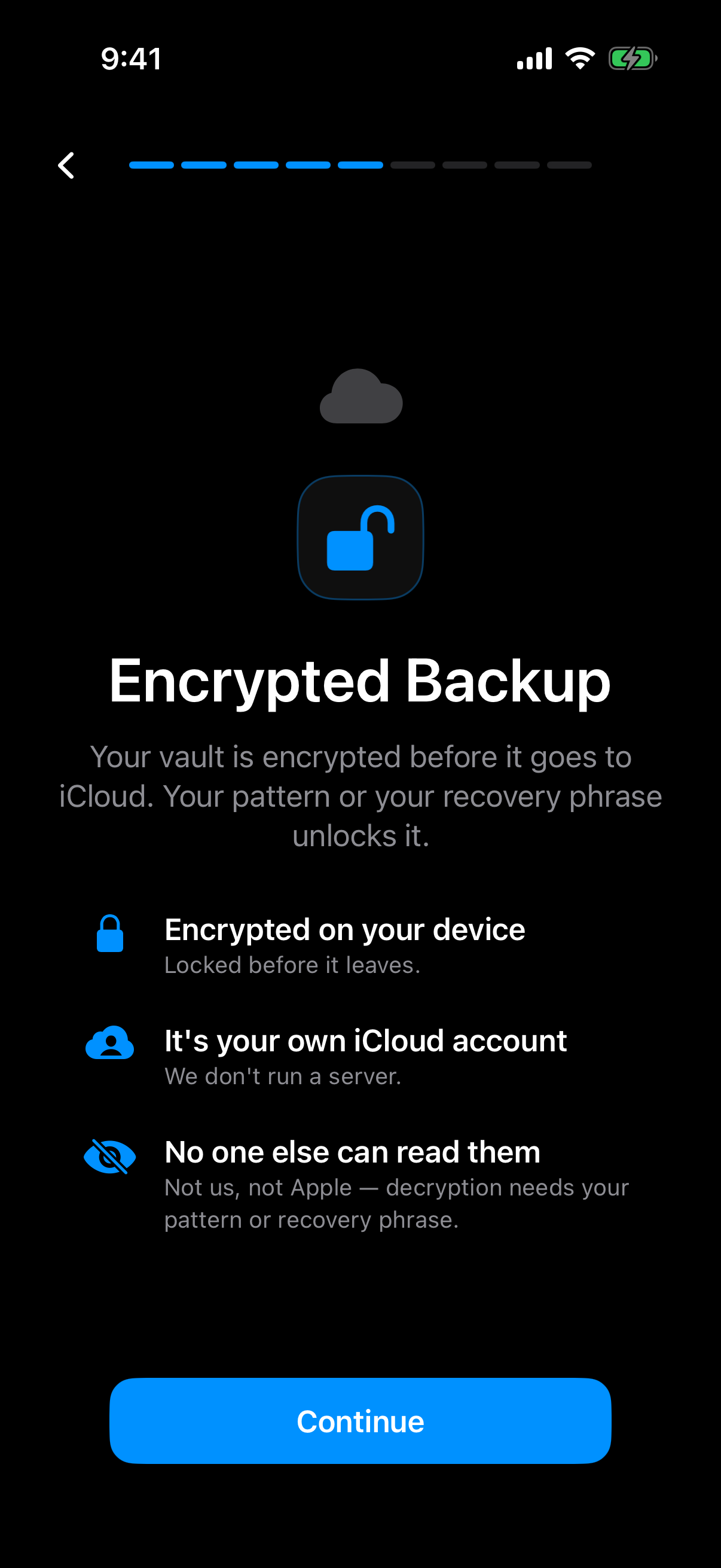 The app states that the vault is encrypted on the device before it goes to the user's own iCloud account.
Backup to your own cloud, not the vendor's
Weave Vault's encrypted backup copies the vault's ciphertext to your own iCloud or Google Drive. No vault key and no plaintext leaves the device. The vendor holds no copy, because there is no vault-storage server. See encrypted backup.
Which part needs Pro and which never does
The split is exact. Enabling backup requires Pro. Restoring never does. The support page says: "requires Pro; restoring never does."
Browsing and exporting your own files work without a subscription, including if Pro lapses. So a lapsed subscription does not lock you out of your photos.
Backup is neither free nor simply paid. It is a Pro feature to turn on, and a free action to restore from. The app does not promise unlimited storage, and neither does this guide.
Question to ask any app: where does the backup go, is it encrypted before it leaves the phone, and what happens to access if you stop paying?
Check 5: what happens when you forget the secret
Recovery is a trade-off. Every design decides who can get you back in.
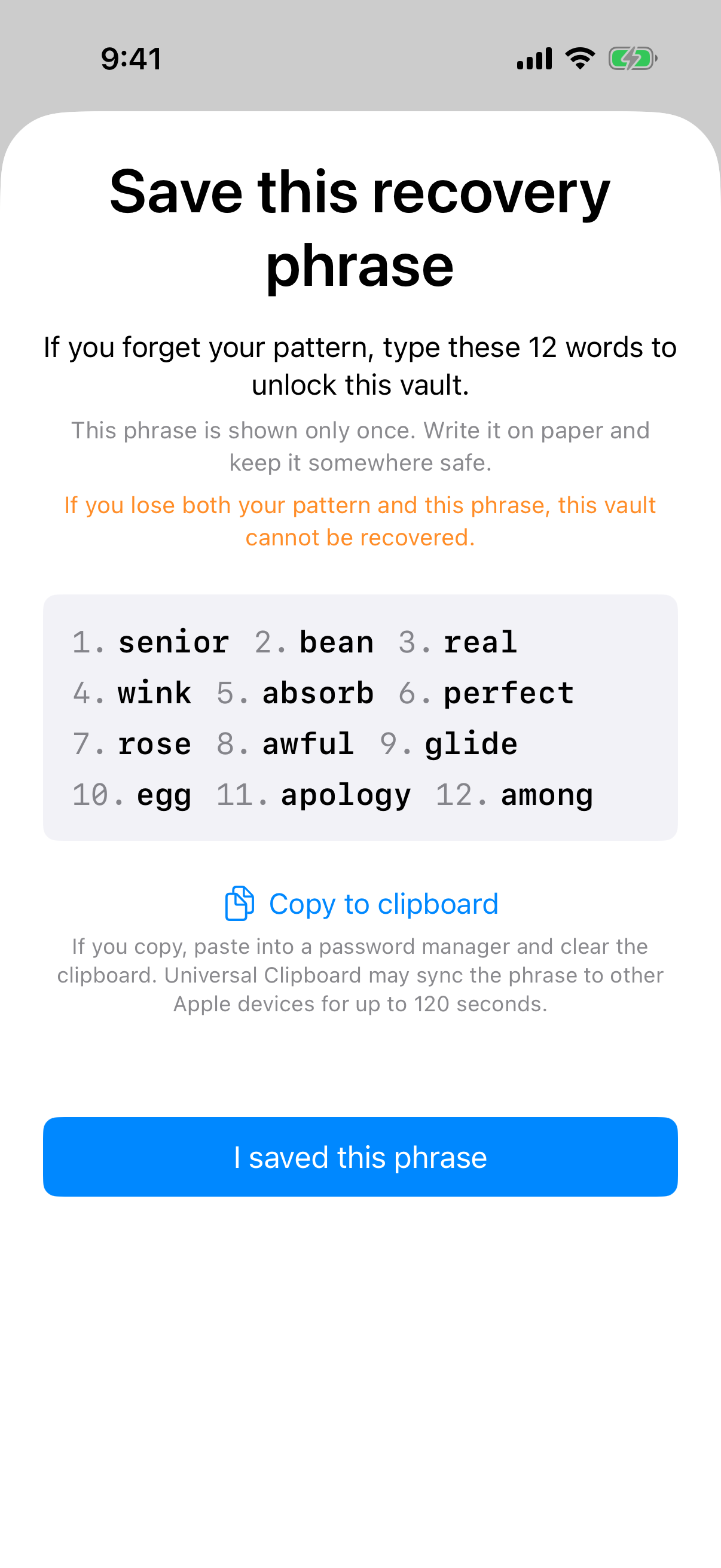 The recovery phrase is shown once, with a warning that losing both phrase and pattern makes the vault unrecoverable.
No backdoor is a trade-off, not only a feature
An app that can reset your access can also be made to reset it for someone else. That is a mechanism, not a scare. If a support desk can override the lock, the lock has an override.
Weave Vault takes the other side of the trade. If both the pattern and the phrase are lost, the vault cannot be opened. The support page states it directly: "we do not hold a copy, and there is no support process that can override this."
A recovery phrase for each vault
Each vault has its own 12-word recovery phrase. The screen shows it once. Store the phrase somewhere safe, outside the app, before you trust a vault with the only copy of a photo. A phrase kept only inside the app it recovers is not a recovery plan.
See multiple vaults for how separate vaults work.
Question to ask any app: if you forget your secret, who can get you back in, and how?
Check 6: what the app admits it cannot promise
No app can promise everything. A vendor that says where its claims stop is easier to believe.
Physical access to the device
Weave Vault quotes its own limit on the security page: "We make no claim about what an examiner with the physical device could or could not determine." It does not promise that a forensic pull would recover nothing. Be wary of any app that does.
Hidden vaults and decoys, described literally
Here is what the app does when an unrecognised pattern is drawn. It opens a fresh empty vault rather than showing an error. The app keeps no vault list, switcher, or count. Nothing on screen reveals how many vaults exist. See duress mode.
Sharing is a separate case. Sharing sends a point-in-time copy of a whole vault, re-keyed from scratch each time. It has an enforced expiry, and you can revoke it early from Shared vaults in the vault's settings. Recipients don't need a vault of their own and don't need to pay for anything. See secure sharing.
Final check: does the vendor state limits at all? An app that lists only strengths has told you less than one that also lists what it does not claim.
How Weave Vault answers the checklist, and where it stops
The table sums up the six checks, using only the statements above.
| Check | What to look for | Weave Vault's published answer |
|---|---|---|
| 1. Encryption | Named cipher, key not stored beside data | AES-256-GCM; pattern, Argon2id, key-encryption key, then a random 256-bit content key |
| 2. Unlock secret | Memory-hard key derivation | Argon2id (RFC 9106: t=3, m=64 MiB, p=1); pattern never written to disk |
| 3. Accounts and network | No account, no trackers | No account, no analytics, no vault-storage server |
| 4. Backup | Vendor-held or your own cloud | Ciphertext to your own iCloud or Google Drive; enabling needs Pro, restoring never does |
| 5. Recovery | Who can reset access | 12-word phrase per vault; no support override |
| 6. Stated limits | Honest scope | No claim about an examiner with the physical device |
Platforms and cost
Weave Vault runs on iPhone and iPad (iOS 16+) and on Android. There is no Windows, Mac or web app.
The free tier allows up to 3 vaults and up to 50 files per vault. Pro is a monthly subscription, an annual subscription with a 7-day trial, or a one-time lifetime purchase. The manifesto puts it this way: "Pro opens doors: more vaults, encrypted backup, sharing, folders."
There is no web signup. To get the app, go to the homepage and follow the link to the App Store or Google Play.
Using the checklist on any app
The six checks work on any vault app. Ask whether the cipher is named and the key is derived from your secret. Ask whether the secret is hardened and where it is stored. Ask what the app needs you to create an account for, and what it sends. Ask where backups go and who can read them. Ask who can reset your access. Ask what the vendor says it cannot promise.
If an app cannot answer these in plain statements, treat that as an answer. The security page, support page and privacy page show the level of detail to expect.