The short answer
For Weave Vault, the answer is: not by default. Nothing is uploaded unless you turn something on. The app is also excluded from the phone's ordinary iCloud or Finder backup by design.
This article covers Weave Vault only. For other apps, the last section lists what to check.
It depends on which backup you mean
"Backup" covers three separate things for a vault app.
- The phone's ordinary backup. The routine iCloud or Finder backup of the whole device.
- A copy of the vault's ciphertext in your own cloud account. A feature the app provides itself.
- Restoring. Getting a vault onto a new phone from that copy.
Most answers treat these as one. They have different mechanisms and different costs.
What Weave Vault does, in one paragraph
Weave Vault is left out of the phone's ordinary backup. Encrypted backup is a separate, opt-in feature. It copies the vault's ciphertext to your own iCloud account, or to Google Drive on Android. Enabling it requires Weave Vault Pro. Restoring never does.
Why a vault is left out of the ordinary phone backup
A routine iCloud or Finder backup copies the app data on your iPhone or iPad into a backup set. Whatever an app stores in that set travels with the backup, under rules the backup system sets, not the app.
Weave Vault takes itself out of that path. A routine iCloud or Finder backup of the phone never contains it.
What a routine iCloud or Finder backup would otherwise copy
The ordinary backup is built for convenience. It restores your phone as it was. For most apps that is the right behaviour. For a vault, it creates a second copy that you did not choose to make, in a place you did not choose.
The design choice, stated plainly
The reason is a mechanism, not a slogan. No copy of the vault leaves the device unless you turn on encrypted backup. Nothing is uploaded by default.
This is a statement about backups and uploads. It is not a statement about the physical device. In the app's own words: "We make no claim about what an examiner with the physical device could or could not determine." Do not read the exclusion as a promise that a forensic pull would recover nothing.
There is a consequence. If you do nothing, replacing the phone does not carry the vault across. The next section covers the opt-in route.
How encrypted backup to your own iCloud works
Encrypted backup is a separate feature from the phone's ordinary backup. It copies the vault's ciphertext to your own iCloud account. The page at /features/encrypted-backup describes what is copied and where.
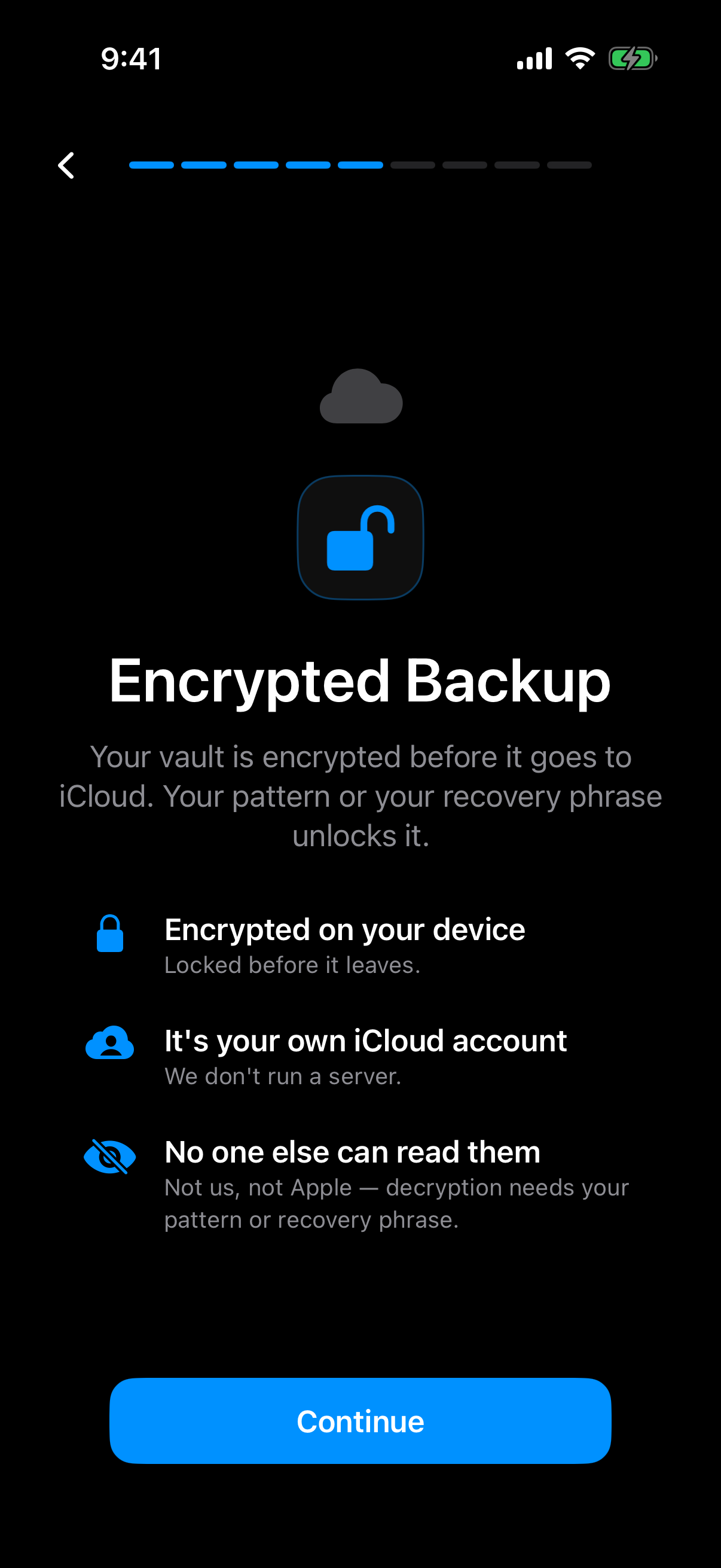 The onboarding screen states the order of operations: the vault is encrypted on the device first, and only then does it reach your own iCloud account.
The app's onboarding says the vault is encrypted on the device before it goes to your own iCloud account. It also says decryption needs the pattern or the recovery phrase.
Encrypted on the device first
Files are sealed with AES-256-GCM. Each file gets a fresh random 96-bit nonce and a 128-bit authentication tag. Large files are encrypted in independently authenticated chunks, up to 16 GB per file. Per-item subkeys are derived with HKDF-SHA256, defined in RFC 5869.
The copy that leaves the phone is ciphertext. No vault key and no plaintext leaves the device.
Whose iCloud, and who runs the server
There is no Weave Vault vault-storage server. The destination is your own iCloud account, or your own Google Drive on Android. Apple or Google holds the ciphertext. Weave Vault does not hold it.
There is also no account of any kind: no email, no profile, no sign-up, on free or Pro. The app has no analytics, no crash reporting, and no advertising or attribution SDKs.
What the key chain looks like
The order matters, so here it is in sequence:
- The unlock pattern is the input.
- Argon2id turns the pattern into a derived key.
- That derived key is a key-encryption key.
- The key-encryption key wraps a random 256-bit per-vault content key, generated by a CSRNG.
- The content key encrypts the files.
The Argon2id-derived key does not encrypt file contents directly. Argon2id runs with the parameters from RFC 9106: t=3, m=64 MiB, p=1, over a 128-bit salt. The full description is on the security page.
There is no separate passphrase. The pattern is the only credential. It is never written to disk, not to a file and not to the Keychain.
One aside: the duress pattern freezes an existing backup rather than deleting it. The duress page has the detail.
What is free and what needs Pro
The split is exact, so it is stated exactly. The support page says that enabling backup "requires Pro; restoring never does." Enabling needs Pro. Restoring does not.
Enabling versus restoring
The free tier allows up to 3 vaults and up to 50 files per vault. The manifesto puts the paid side this way: "Pro opens doors: more vaults, encrypted backup, sharing, folders."
Pro is sold three ways: a monthly subscription, an annual subscription with a 7-day trial, or a one-time lifetime purchase. This article quotes no prices. The App Store and Google Play listings show the current ones.
So "is backup free?" has no single answer. Turning it on is a Pro feature. Getting a vault back never is. The multiple vaults page covers the vault limits.
What still works if Pro lapses
Browsing and exporting your own files work without a subscription. That includes the case where Pro lapses. A lapse does not lock you out of your own files.
Restoring on a new phone
Restoring needs no subscription. On a new phone, the welcome screen offers "Restore from a backup". The encrypted backup page and the support page cover the steps.
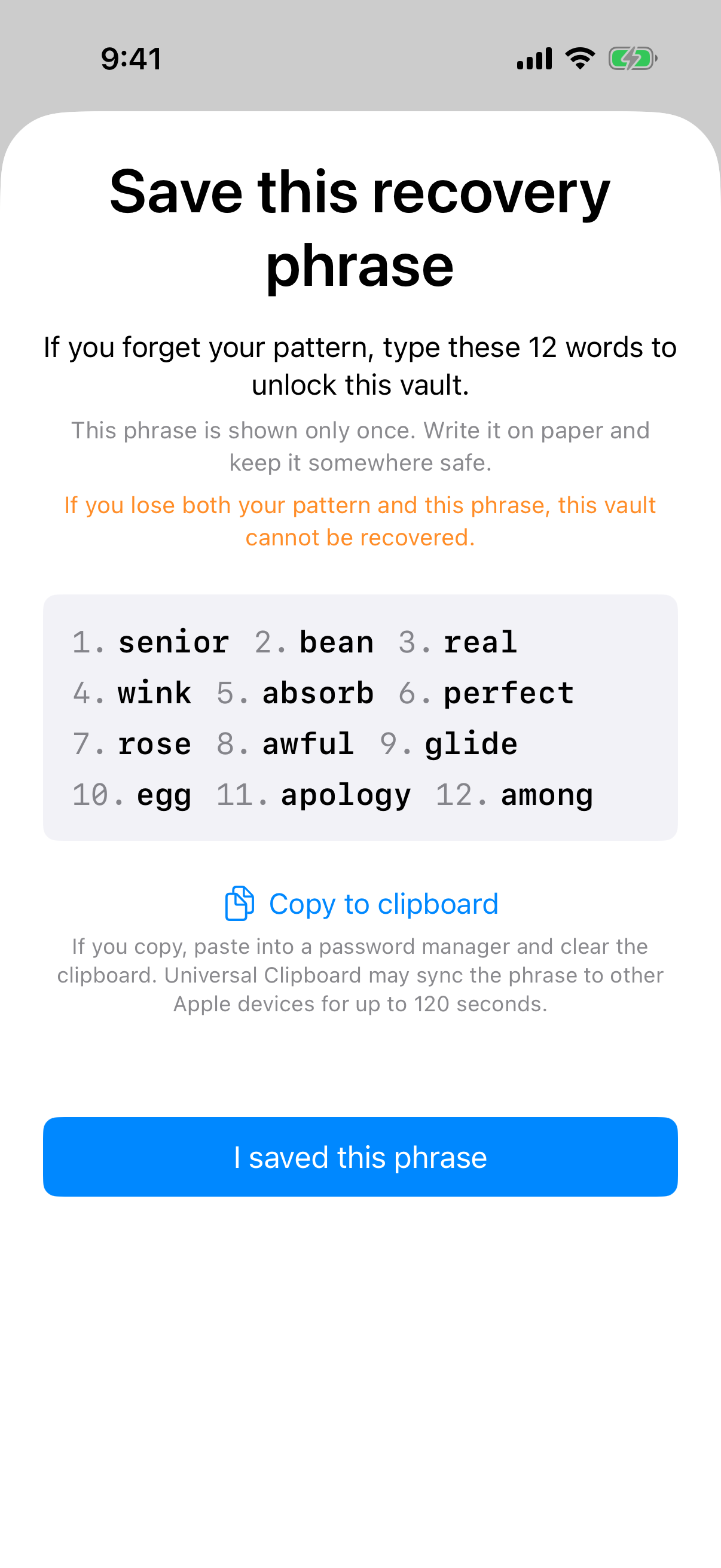 The recovery phrase screen appears once, with a warning that losing both the pattern and the phrase makes the vault unrecoverable.
What you need in hand
You need the pattern for the vault you want to open, or its recovery phrase. You also need access to the iCloud account that holds the backup, or the Google Drive account on Android.
Platform support is iPhone and iPad (iOS 16 or later) and Android. There is no Windows, Mac or web app, so a vault is restored onto another phone or tablet, not onto a computer. On Android, see the Android page.
The recovery phrase and what happens if both credentials are lost
Each vault has its own 12-word recovery phrase. It is shown once, at creation. Store it before you need it.
If both the pattern and the phrase are lost, the vault cannot be opened. The support page says: "we do not hold a copy, and there is no support process that can override this." There is no account and no vault server, so there is nobody to ask.
One behaviour to know about. An unrecognised pattern opens a fresh empty vault rather than an error. On a restored phone, a mistyped pattern therefore looks like an empty vault, not a failure. The app keeps no vault list, switcher or count.
Questions to ask any vault app before you trust its backup
These are questions, not claims about any product. Ask them of any vault app.
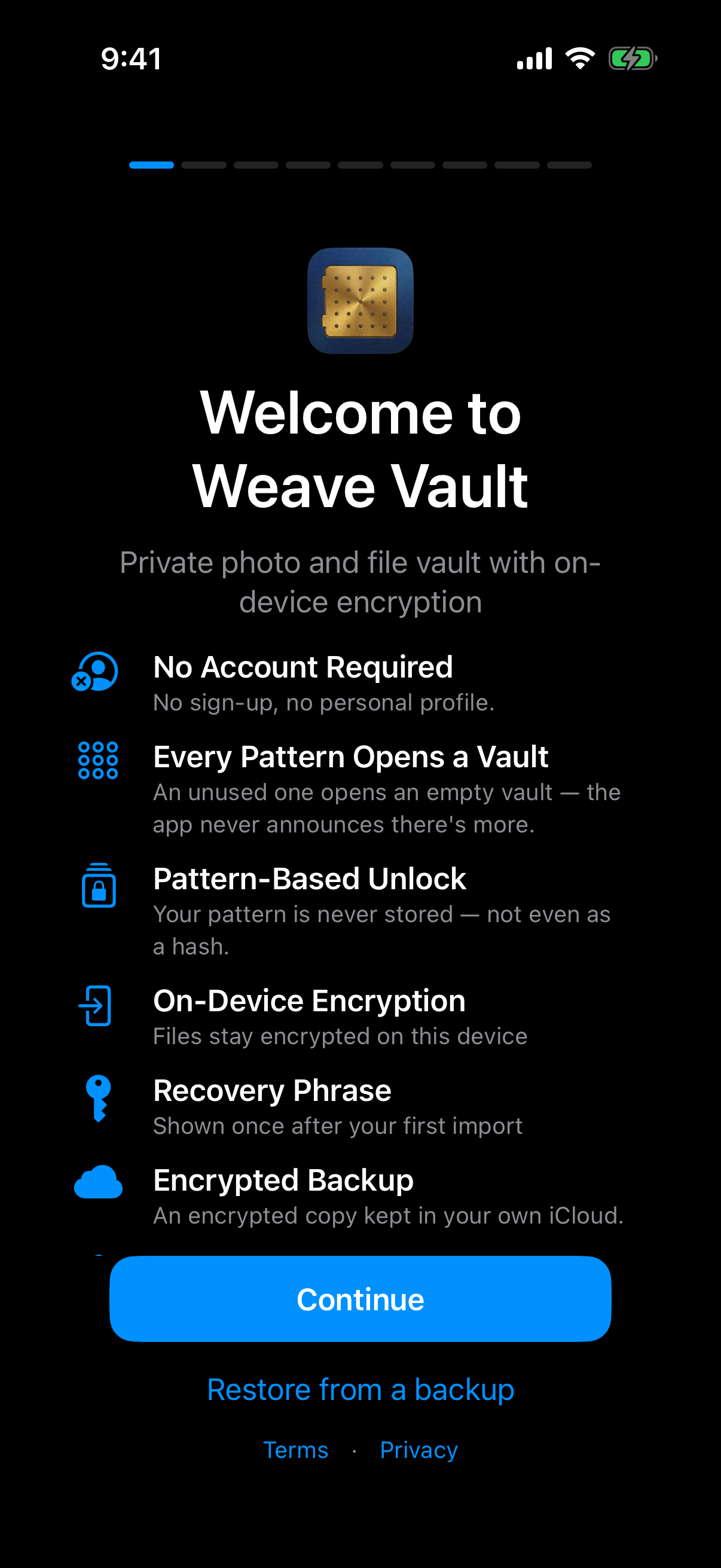 The welcome screen lists No Account Required, Encrypted Backup and Recovery Phrase together, and offers Restore from a backup, which is where the answers below show up in the app.
Is it in the phone's ordinary backup, or separate
Question 1. Does the app's data go into the ordinary iCloud or Finder backup, or is it excluded or encrypted separately?
Where does the copy go, and who holds the key
Question 2. Whose cloud account receives the copy? Does the vendor run a server that holds it?
Question 3. Is the data encrypted on the device before upload? Who holds the key?
Can you restore without paying, and without an account
Question 4. What is needed to restore? Does restoring require a subscription or an account?
Question 5. What happens if the passcode or pattern is forgotten? Is there any recovery route?
Weave Vault's answers
Each answer ties to a statement above.
- Ordinary backup: excluded by design. A routine iCloud or Finder backup never contains it.
- Where the copy goes: your own iCloud, or Google Drive on Android. There is no Weave Vault vault-storage server.
- Encryption and key: AES-256-GCM on the device before upload. The key chain starts at your pattern, which is never written to disk.
- Restore: needs no subscription and no account. Enabling backup needs Pro.
- Forgotten credentials: the 12-word recovery phrase. If the pattern and the phrase are both lost, the vault cannot be opened.
To try it, get Weave Vault from the App Store or Google Play, reached from the homepage.