What a fake PIN photo vault is, and why Weave Vault uses a pattern
A fake PIN photo vault is a vault that opens to a harmless set of files when a second credential is entered, so the real files are not shown. This guide explains how that works in Weave Vault, what it costs to use, and what it does not promise.
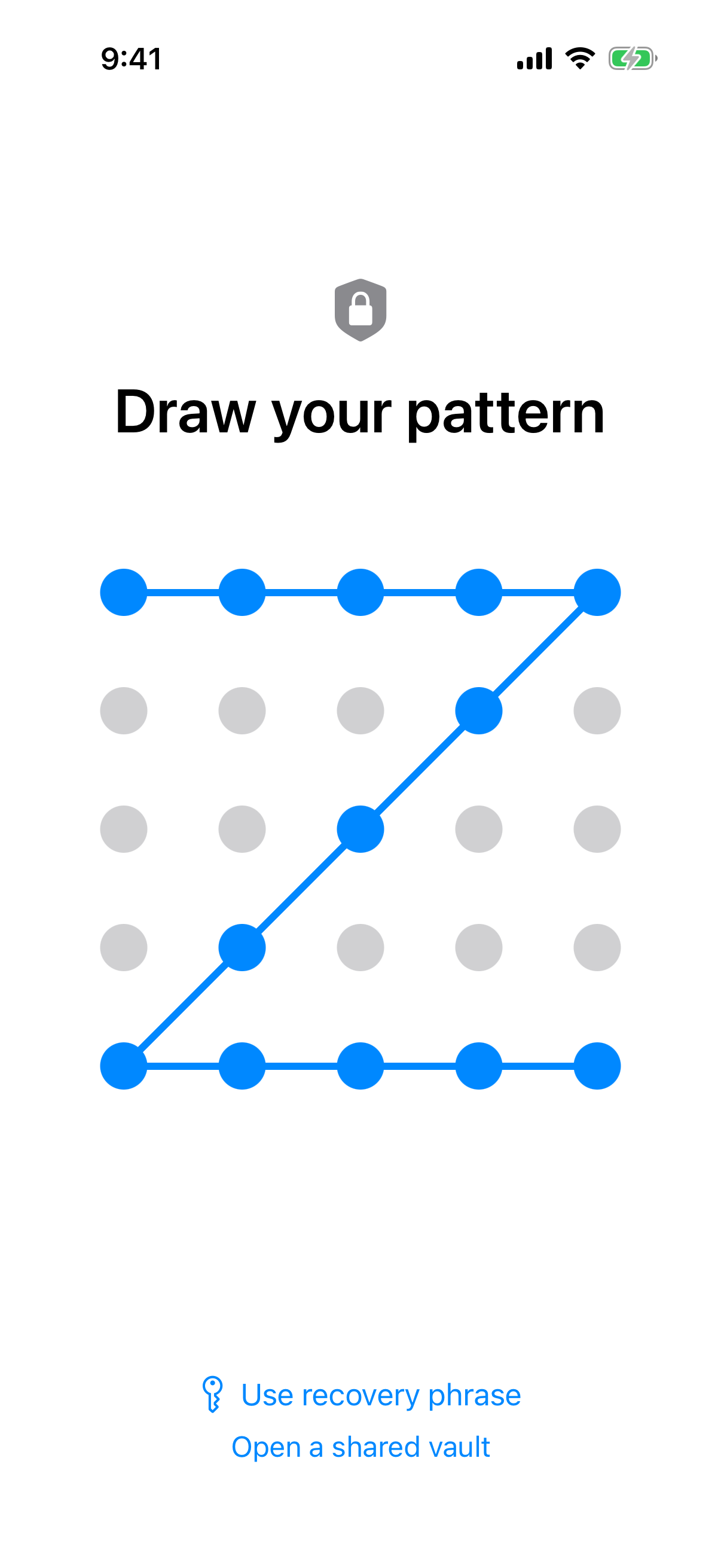 One lock screen, several patterns: each different pattern opens a different vault, which is the base of the decoy idea.
Weave Vault runs on iPhone and iPad (iOS 16+) and on Android. There is no Windows, Mac or web app.
The usual design: a real PIN and a fake PIN
The common design stores two numeric codes. One opens the real vault. The other opens a second, harmless one. The label is "fake PIN", and the idea is simple: if someone demands the passcode, you give them the second one.
Weave Vault has no PIN and no passphrase
Weave Vault does not work that way. The unlock pattern is the only credential. There is no separate passphrase and no PIN. The pattern is never written to disk, not to a file and not to the Keychain.
See Pattern unlock for how the lock screen behaves.
Why the mechanism matters more than the label
A label tells you nothing about what the app does. The mechanism does. The questions that matter are these. What does the app derive from the credential? What does it show for an unknown credential? What does it remove, and what can it not claim? The sections below answer each one.
How an unrecognised pattern opens an empty vault
In Weave Vault, a decoy is not a special mode bolted onto a PIN screen. It follows from how the lock works. Every pattern leads to a key. A pattern that matches no existing vault leads to a new, empty one.
No error message, no vault list
An unrecognised pattern opens a fresh empty vault rather than showing an error. The app keeps no vault list, switcher or count. There is no screen that says how many vaults exist on the device, because the app does not store that number.
Each pattern derives its own key
The pattern is the input to a key derivation. Weave Vault uses Argon2id, with parameters taken from RFC 9106: t=3, m=64 MiB, p=1, over a 128-bit salt. You can read the specification at RFC 9106.
Different patterns give different derived keys. Different keys open different vaults.
What the key hierarchy looks like
The order is fixed:
- The unlock pattern is the input.
- Argon2id turns it into a key-encryption key.
- That key wraps a random 256-bit per-vault content key, generated by a CSRNG.
The Argon2id-derived key does not encrypt file contents directly. The random content key does that work.
Files are sealed with AES-256-GCM. Each file gets a fresh random 96-bit nonce and a 128-bit authentication tag. Per-item subkeys are derived with HKDF-SHA256, defined in RFC 5869.
The full cryptographic description is on the Security page, and the vault behaviour is covered under Multiple vaults.
One limit applies here and throughout this guide. The app's own wording is: "We make no claim about what an examiner with the physical device could or could not determine." Weave Vault does not promise that a forensic pull would recover nothing.
Setting up a decoy vault
A decoy vault is a second vault opened by its own pattern. It should hold files that look ordinary. The setup is short, and the details matter more than the steps.
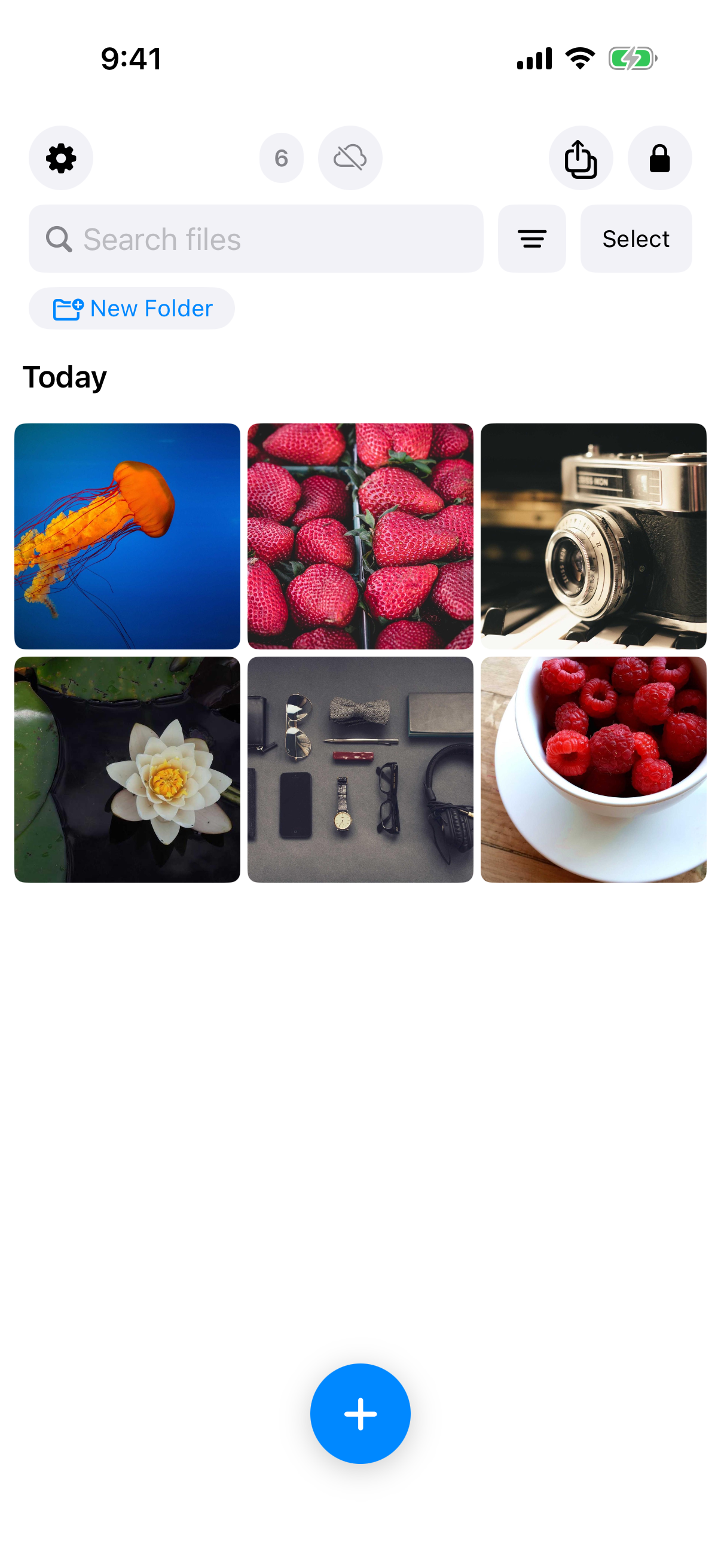 An opened decoy vault: a small set of harmless photos, which is the outcome a decoy exists to produce.
Create a second vault with its own pattern
Draw a new pattern that does not match your existing vault. Because an unrecognised pattern opens a fresh empty vault, the new vault starts empty. Choose a pattern you will remember. You will need it under pressure.
Fill it with ordinary files
Put in files that match what a person would expect to see. A few everyday photos are enough. The vault is only convincing if it looks used. Keep it modest. The free tier allows up to 50 files per vault.
Each vault has its own 12-word recovery phrase
Each vault has its own 12-word recovery phrase, shown once. Write it down when it appears.
If both the pattern and the phrase are lost, the vault cannot be opened. In the app's wording: "we do not hold a copy, and there is no support process that can override this."
The free tier allows up to 3 vaults and up to 50 files per vault. This guide does not state which tier includes the duress pattern. Check the Duress mode page for current availability. Nothing here promises unlimited vaults or unlimited storage.
Duress mode: what the panic pattern does, and what it costs
A decoy vault by itself is a second vault. Duress mode adds a deliberate, destructive step. Read this section before enabling it.
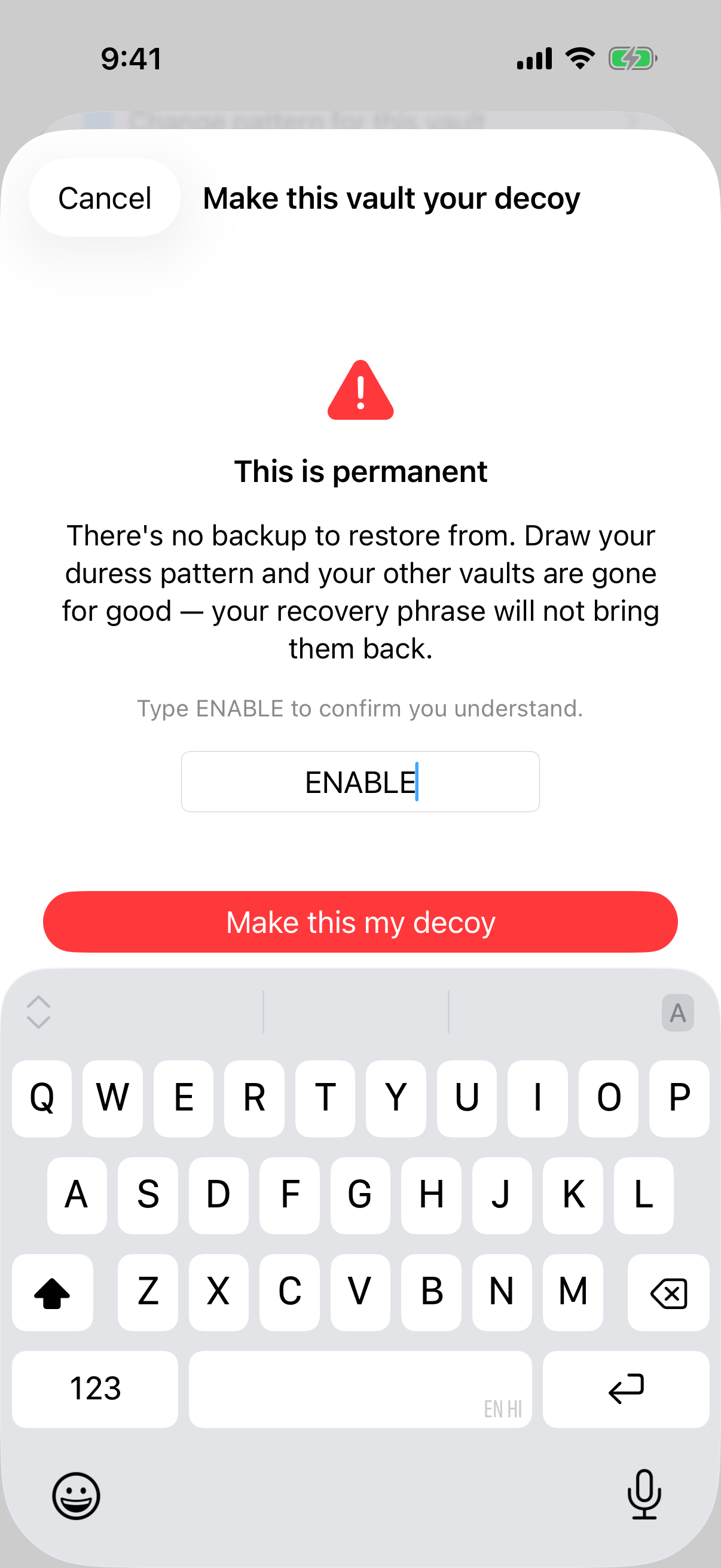 The app's own permanence warning and typed confirmation: the cost of duress mode is stated before it takes effect.
What happens when the duress pattern is drawn
Drawing the duress pattern opens the decoy vault like a normal unlock. At the same time, this device loses its keys to your other vaults. Nothing is shown on screen. To an observer, it looks like any other unlock.
There is one decoy at a time.
Why it needs a typed confirmation
The setup flow, in the screenshots above, offers "Make this vault your decoy". It then asks you to type ENABLE. When it is done, the app shows "This vault is now your decoy".
The typed word exists because the step is permanent. Other vaults on this device are gone for good, and the recovery phrase will not bring them back. This is a fact about the design, not a reason for alarm. It is the reason the confirmation is typed instead of tapped.
What is frozen and what is gone
Vaults on this device that lose their keys are gone. An existing backup is different: it is frozen, not deleted. This guide does not add restore steps beyond what Duress mode and Encrypted backup say. Read both pages before relying on a backup in this situation.
What a fake PIN vault cannot promise
No decoy is a guarantee. This section lists the limits that apply to Weave Vault, and the privacy properties that do hold.
Limits of any decoy
A decoy only helps if the person asking accepts what they see. It does nothing against someone who already knows how the app works or who has other information about you. And the hedge stands: Weave Vault makes no claim about what an examiner with the physical device could or could not determine.
No account, no server, no analytics
There is no account of any kind: no email, no profile and no sign-up, on free or Pro. The app includes no analytics, crash reporting, advertising or attribution SDKs.
There is no Weave Vault vault-storage server. Encrypted backup copies the vault's ciphertext to your own iCloud or Google Drive. No vault key and no plaintext leaves the device. Nothing is uploaded by default.
Weave Vault is also excluded from the phone's ordinary device backup by design. A routine iCloud or Finder backup of the phone never contains it.
Backup and sharing do not reveal the vault
Backup has a split. Enabling backup requires Pro. Restoring never does. Browsing and exporting your own files work without a subscription, including if Pro lapses. Details are on the Encrypted backup page.
Sharing sends a point-in-time copy of a whole vault, re-keyed each time, with an enforced expiry and early revocation from Shared vaults in the vault's settings. Recipients need no vault and pay nothing. See Secure sharing.
For anything not covered here, the Support page is the place to check.
Choosing between a decoy vault and a hidden folder
The choice depends on who you expect to ask you to unlock the app.
When a decoy helps
A decoy applies when someone may ask you to unlock the app in front of them. In that case a single vault leaves you with two options: open the real files or refuse. A decoy gives you a third.
When a single vault is enough
A single vault suffices if the concern is casual snooping. A friend picking up your phone, a child opening apps, a stranger glancing at the screen. The lock is the protection. You do not need duress mode, and you avoid its permanent cost.
The decision rule is short:
- Casual snooping: one vault.
- Someone may ask you to unlock the app in front of them: a decoy vault, and then read the duress section again before enabling anything.
Next steps
Pro is sold as a monthly subscription, an annual subscription with a 7-day trial, or a one-time lifetime purchase. The manifesto puts it this way: "Pro opens doors: more vaults, encrypted backup, sharing, folders."
To try the app, use the App Store or Google Play links on the Weave Vault homepage. There is no web signup. For the cryptography behind everything above, see Security.