This guide is for someone locked out of a Weave Vault. It covers what the app does, what to try first, and where the limit is. It describes only what the app's own pages and screens state.
Weave Vault has no PIN: the credential is a pattern
Weave Vault unlocks with a pattern drawn on a 5x5 dot grid. There is no PIN and no separate passphrase. The pattern is the only credential.
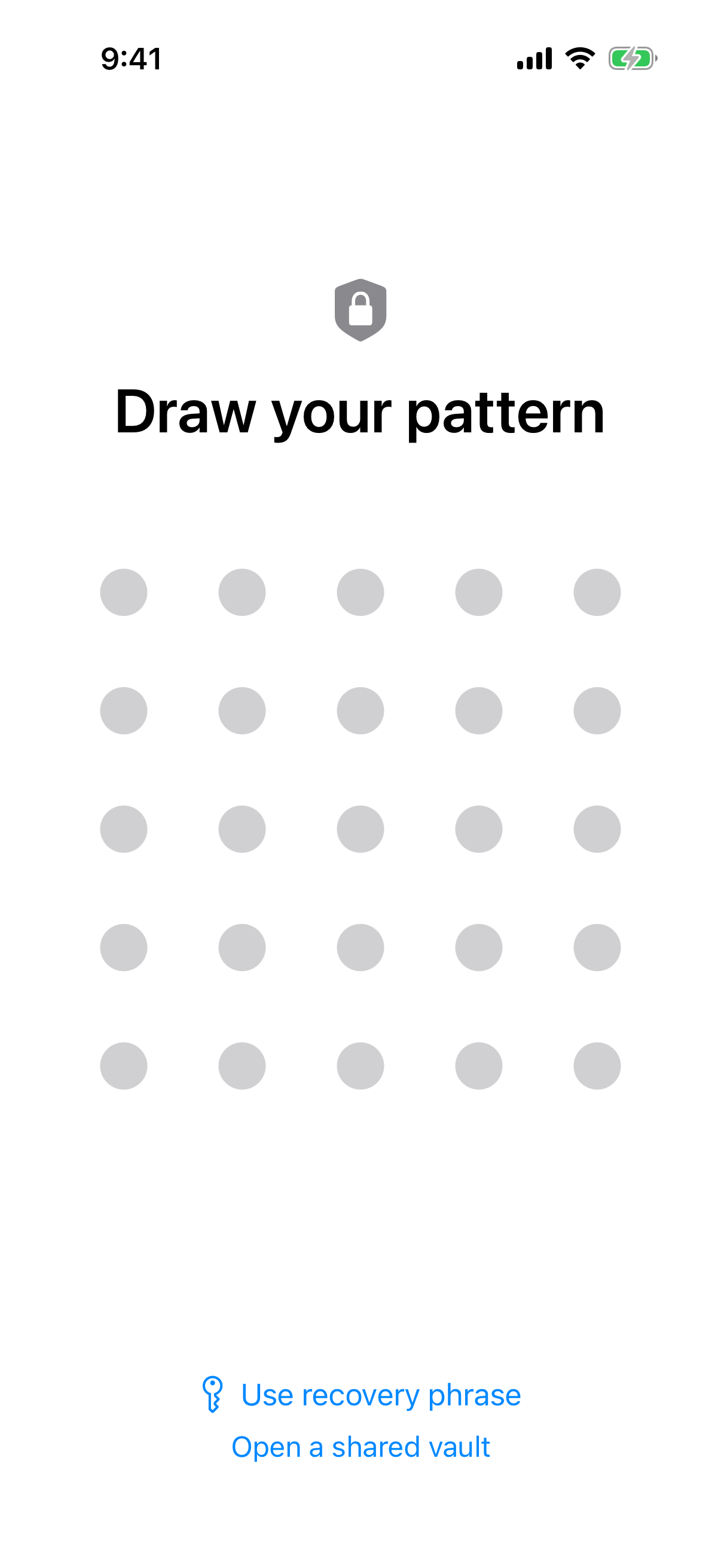 The lock screen you are stuck on: an empty 5x5 grid, and below it the "Use recovery phrase" link you need next.
Here is the practical consequence, stated plainly. The app cannot show you a forgotten pattern, and it cannot reset one. A recovery phrase exists for exactly this case, and it is covered in step one below.
Why the word 'PIN' does not apply here
Most lock-out guides assume a vendor can reset access. They tell you to use a "forgot PIN" link or to contact support. That works when a product holds an account or a copy of your key. Weave Vault holds neither. There is no PIN to reset, so the question changes from "how do I reset it" to "how do I get back in with what I have".
What the pattern is and what it is not
The pattern is never written to disk. It is not saved to a file and not saved to the Keychain. There is no stored copy on the device to look up.
The key hierarchy runs in this order:
- Your pattern.
- Argon2id, with the parameters in RFC 9106: t=3, m=64 MiB, p=1, over a 128-bit salt.
- A key-encryption key.
- That key wraps a random 256-bit per-vault content key, generated by a CSRNG.
The Argon2id-derived key does not encrypt your files directly. Files are sealed with AES-256-GCM, using a fresh random 96-bit nonce and a 128-bit authentication tag per file. You can read the full description on the security page and the pattern unlock page.
Why a wrong pattern opens an empty vault instead of an error
If you misremember the pattern, you will probably not see an error. An unrecognised pattern opens a fresh empty vault.
What you will see if you misremember
You draw a pattern. The app accepts it and shows a vault with nothing in it. The app keeps no vault list, no switcher, and no count, so there is nothing on screen to tell you that other vaults exist.
This is not a lockout counter and it is not a warning. The app shows no error at all.
Why this is not data loss
An empty vault after a wrong guess does not mean your photos are gone. It means that pattern derives a different key. Each pattern opens its own vault. This is the same design that supports multiple vaults.
Stop guessing. Every extra attempt only opens another empty vault. Go to the recovery phrase instead.
Step one: use the 12-word recovery phrase
Each vault has its own 12-word recovery phrase. This is the way back in when the pattern is forgotten.
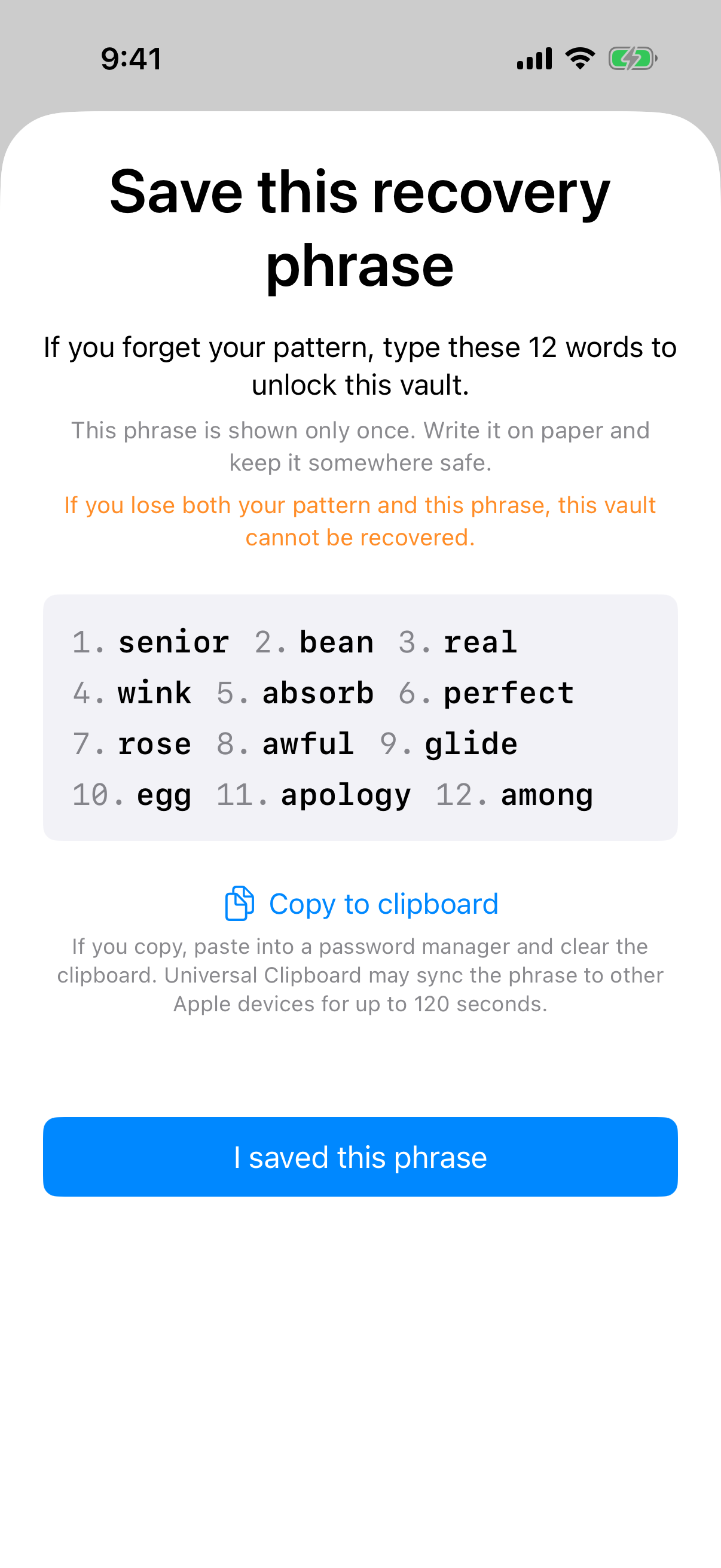 The phrase screen from setup. It says the words are shown only once, which tells you what to go looking for.
Where the option is on the lock screen
On the lock screen, find the "Use recovery phrase" link. It sits beside "Open a shared vault". Tap it instead of drawing another pattern.
What the phrase is and when you were shown it
The phrase screen says the 12 numbered words unlock the vault if you forget your pattern. It also says they are shown only once. That moment was at setup.
So the search is for a copy you made then. Check these places:
- Your password manager. The phrase screen includes a tip about using one.
- Your notes app, if you copied the phrase to the clipboard.
- A paper copy made at setup.
Each vault has its own phrase
If you have several vaults, you need the phrase that belongs to the vault you are locked out of. A phrase for one vault does not belong to another.
Vault Settings includes "Change pattern for this vault" and "Replace recovery phrase". Those settings exist. This guide does not describe what the app does after a phrase is accepted, because that is not something the published pages state.
If the pattern and the phrase are both lost
This section is the limit. It is short on purpose.
The limit, stated without softening
If both the pattern and the phrase are lost, the vault cannot be opened. The support page puts it this way: "we do not hold a copy, and there is no support process that can override this."
Why there is no support override
The reason is mechanical. There is no Weave Vault account of any kind: no email, no profile, no sign-up, on free or Pro. There is also no Weave Vault vault-storage server. Nothing exists on the developer side to reset.
Do not look for a way around this. Brute-forcing, third-party recovery tools, and forensic extraction are not suggested here.
On the examiner question, the security page says: "We make no claim about what an examiner with the physical device could or could not determine." This guide makes no claim either way.
Check for an encrypted backup before you decide the photos are gone
Before you conclude anything, check whether you ever turned on encrypted backup. It is a separate thing from your phone's ordinary backup.
What a backup is and where it lives
Encrypted backup copies the vault's ciphertext to your own iCloud or Google Drive. No vault key and no plaintext leaves the device. Nothing is uploaded by default.
Weave Vault is excluded from the phone's ordinary device backup by design. A routine iCloud or Finder backup of the phone never contains it. Do not go looking for the vault there.
The encrypted backup page describes the feature.
Enabling versus restoring
The pricing split is exact. Enabling backup requires a Pro subscription. Restoring never does. The support page's wording is "requires Pro; restoring never does."
A backup stays encrypted under the same credentials. Decrypting it still takes the pattern or the recovery phrase. The onboarding screen says decryption needs your pattern or recovery phrase.
That means a backup helps if the device is lost. It does not help if the credentials are lost. Both cases need one of the two credentials.
How to avoid this next time
Three habits cover most of it. Each one matches something the app's setup screens ask for.
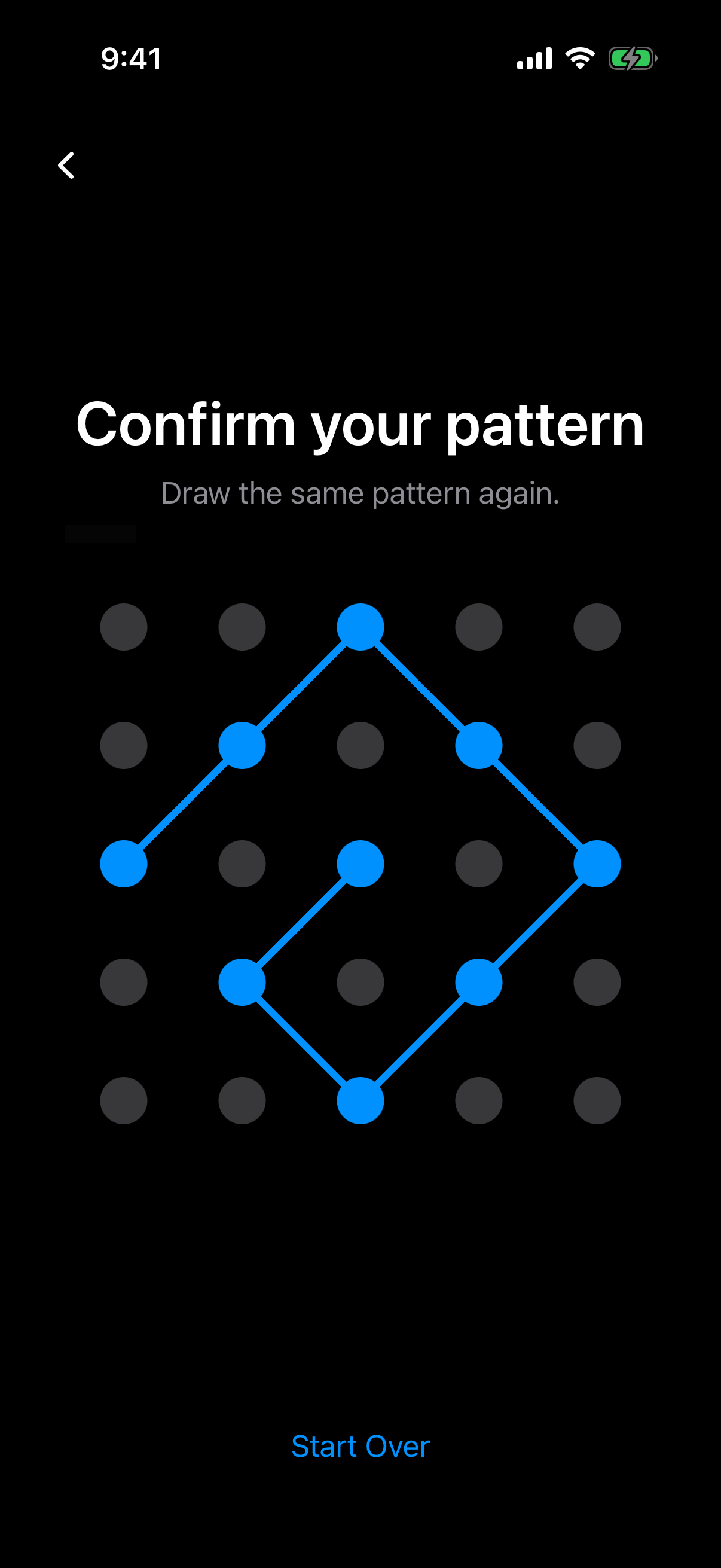 The confirmation step in setup, where you draw the pattern a second time. This is the point to check you can redraw it.
Store the phrase where you will find it
Save the phrase in a password manager or on paper. Keep it separate from the phone. The phrase screen offers Copy to clipboard and a password-manager tip. Do not screenshot the phrase.
If you have more than one vault, label each phrase with the vault it belongs to.
Choose a pattern you can redraw
Setup requires a pattern of at least 6 dots with 2 direction changes. The setup screen asks you to choose one you can remember and to draw it twice to confirm. Treat the second drawing as a test. Close the app, wait, and try it again from memory.
Know what duress mode does before enabling it
Duress mode uses a second, decoy pattern. Drawing the decoy pattern opens the decoy vault and removes the other vaults from the device.
The setup screen says this is permanent. It also says the recovery phrase will not bring them back. An existing backup is frozen, not deleted.
That is a reason to practise the pattern, and to read the warning in full before you enable the mode.
Weave Vault runs on iPhone and iPad (iOS 16+) and on Android. You can find the App Store and Google Play links on the homepage.