Most explanations of zero-knowledge backup stay abstract. Others rank services by feature list. This article does something narrower. It defines the term as a property you can test. Then it walks one real mechanism from the unlock pattern to the encrypted file in your own cloud storage. It also states where the guarantee stops.
The mechanism described here is how Weave Vault works. Every product claim below comes from the published security page and support page. Judge for yourself whether the term fits.
What zero-knowledge photo backup means
The term is used loosely. A useful reading is a property of the system, not a label on the box. Either the party storing your photos can read them or it cannot.
The property: the party storing the data cannot read it
Here is the test. The storage provider holds only ciphertext. It never holds a key that decrypts that ciphertext. If both statements are true, the provider has no way to read your photos, even if it wanted to, even if it were compelled to hand them over.
Two consequences follow from the test.
- Encryption happens on your device, before anything is copied anywhere. If the plaintext leaves the phone first and is encrypted later, the provider saw it.
- The keys stay with you. A key held by the provider, even one stored carefully, fails the test.
The term is not a feature to switch on. It is a description of who holds what. This article describes the mechanism and leaves the label to you.
Where the term gets stretched
Many services encrypt your photos on their servers and describe that as private. That is provider-side encryption. The data is encrypted at rest and in transit. But the provider holds the keys. It can decrypt the data to serve it back to you, to index it, or to answer a legal demand.
That design has real uses. It is not the property defined above. The difference is a single question: who holds the key that opens the file?
How the keys are built: pattern to ciphertext
The key chain in Weave Vault has a fixed order. Each link exists for a reason, and the order matters more than any single algorithm name.
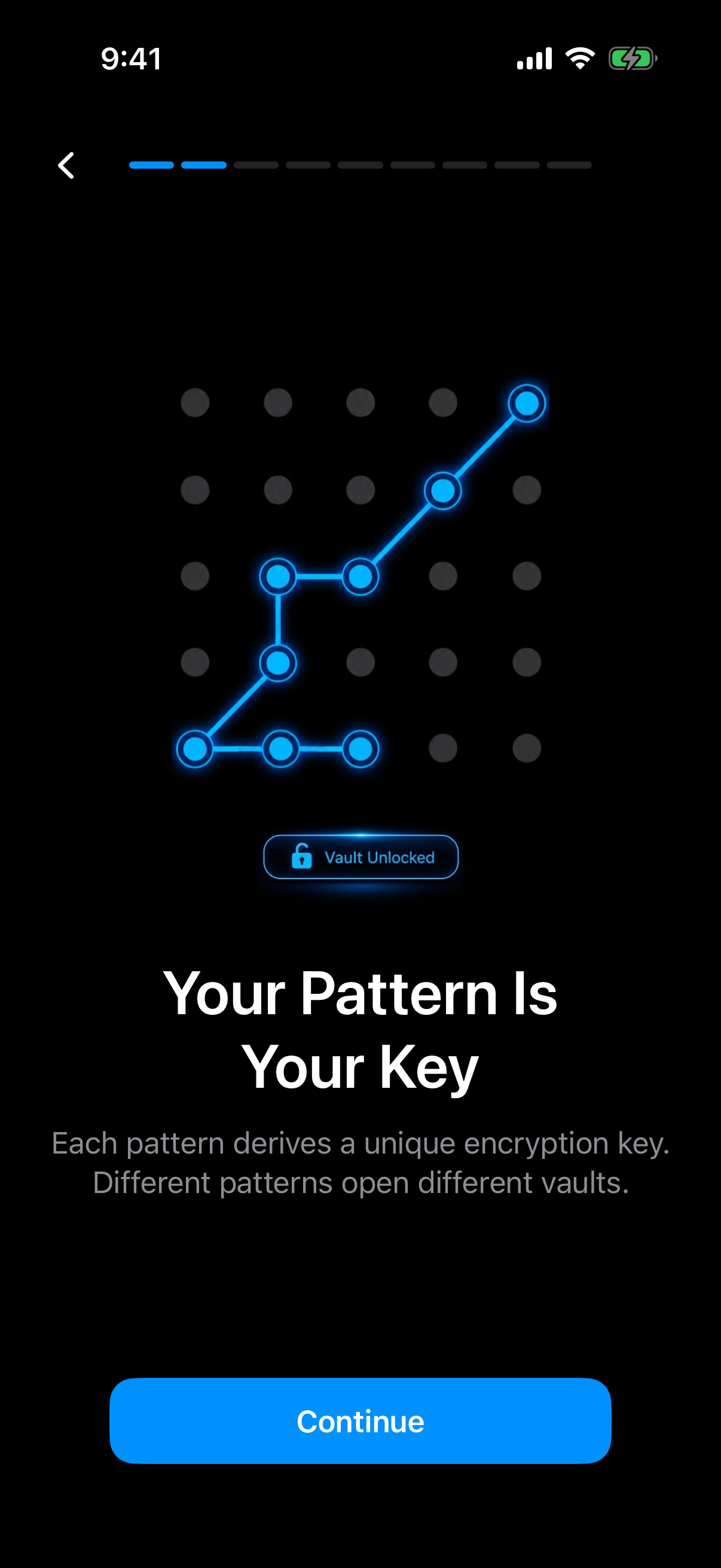 The onboarding screen shows the pattern as the root of the key chain, the first link the rest of this section explains.
The order is exactly this: the unlock pattern, then Argon2id, then a key-encryption key, which wraps a random 256-bit per-vault content key generated by a CSRNG. Files are then sealed with AES-256-GCM.
The pattern is the only credential
There is no separate passphrase. The pattern is the only credential. You can read more about the unlock method on the pattern unlock page.
The pattern is never written to disk. Not to a file. Not to the Keychain. It exists in memory while you enter it and is not stored for later.
Argon2id and the key-encryption key
A drawn pattern has far less entropy than a long random key. So it is not used as a key. It is fed into Argon2id, a memory-hard key derivation function specified in RFC 9106.
The parameters are t=3, m=64 MiB, p=1, over a 128-bit salt. Memory hardness means each guess costs 64 MiB of memory as well as time. That raises the cost of guessing a pattern at scale.
The output is a key-encryption key. Its only job is to wrap another key. The Argon2id-derived key does not encrypt file contents directly.
A random per-vault content key
Each vault has its own content key. It is 256 bits long and generated by a CSRNG, a cryptographically secure random number generator. It is random, not derived from your pattern.
This split has a practical effect. The content key never changes because it is wrapped, not derived. The wrapping layer is the part tied to your pattern. Each vault gets a separate key, which is how multiple vaults stay independent of one another.
Per-item subkeys are derived from the content key with HKDF-SHA256, specified in RFC 5869. Individual items do not all share one raw key.
AES-256-GCM per file
Files are sealed with AES-256-GCM. Each file gets a fresh random 96-bit nonce. Each file carries a 128-bit authentication tag.
The tag matters as much as the encryption. GCM is authenticated encryption. If a single bit of the ciphertext changes, decryption fails instead of returning altered data.
Large files are encrypted in independently authenticated chunks. The ceiling is 16 GB per file. Because each chunk carries its own authentication, a large video is verified piece by piece.
Put together, the chain reads as follows.
- You draw the pattern.
- Argon2id turns it into a key-encryption key.
- That key unwraps the random 256-bit content key.
- HKDF-SHA256 derives per-item subkeys.
- AES-256-GCM seals each file.
No step in this chain requires a server.
Where the backup goes, and who can see it
A strong key chain is only half of the question. The other half is where the encrypted data ends up and who can reach it.
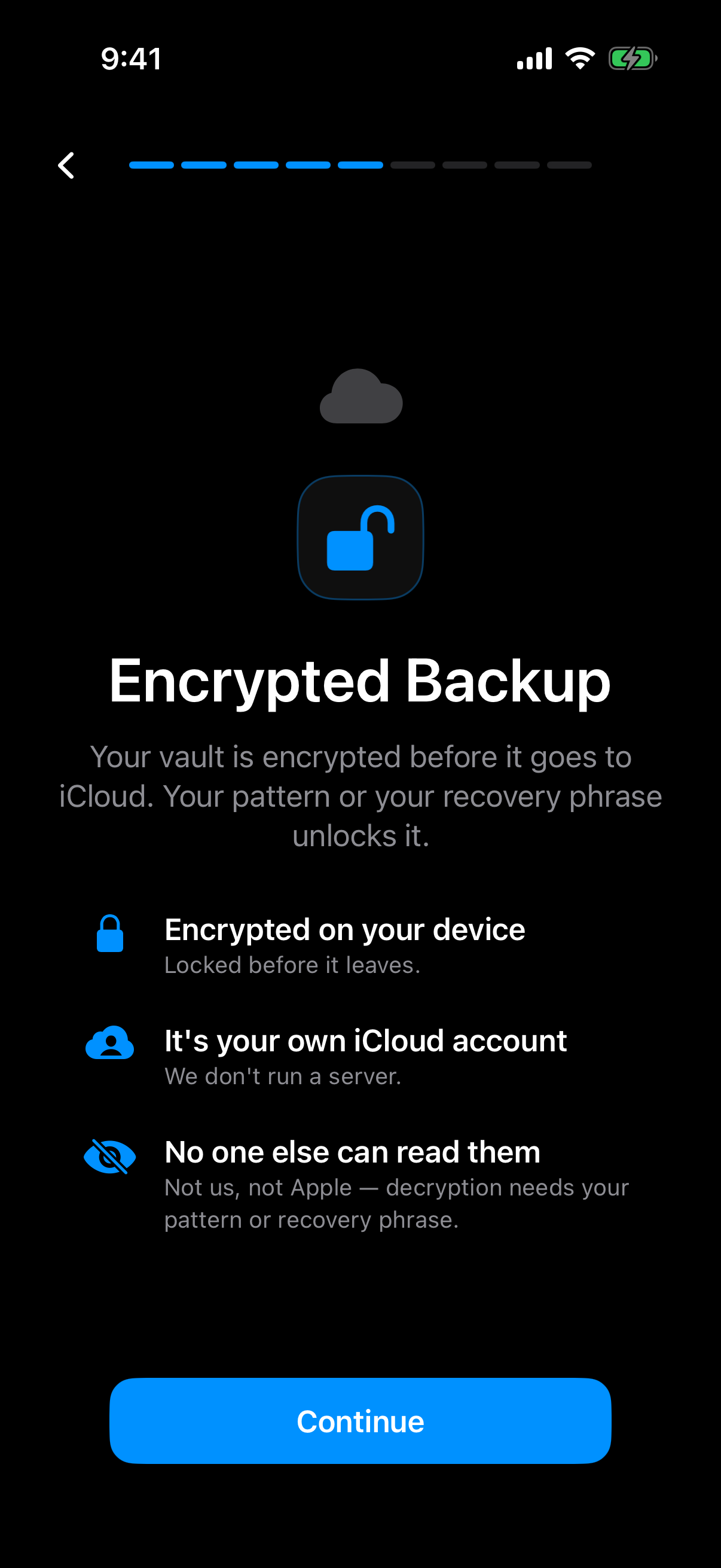 The in-app statement of the rule this section describes: the vault is encrypted on the device before it goes to your own iCloud account.
No Weave Vault server exists
There is no Weave Vault vault-storage server. The app has no place of its own to put your data. That removes a whole class of questions about what a vendor server holds, logs, or could be made to disclose.
There is also no account of any kind. No email. No profile. No sign-up. That is true on the free tier and on Pro. There is no analytics, no crash reporting, and no advertising or attribution SDKs.
Your own iCloud or Google Drive holds the ciphertext
Encrypted backup copies the vault's ciphertext to your own iCloud or Google Drive. The storage account is yours. Apple or Google holds the encrypted bytes, which is exactly the situation the zero-knowledge test describes.
No vault key and no plaintext leaves the device. What arrives in iCloud or Google Drive is ciphertext, and the keys that open it stay on the phone and in your head. The encrypted backup page covers the feature itself.
Nothing is uploaded by default. Backup happens only after you turn it on.
What is excluded from ordinary phone backup
Weave Vault is excluded from the phone's ordinary device backup by design. A routine iCloud or Finder backup of the phone never contains it. Without that exclusion, a vault could be copied into a general phone backup that you did not choose.
This is a separate route from encrypted backup. The vault goes to your cloud storage when you ask, and not otherwise.
What it costs and what stays free
Pricing questions tend to blur one distinction. Enabling backup and restoring from backup are different actions with different costs.
Enabling backup versus restoring
Enabling backup requires Pro. Restoring never does. The support page states it verbatim: "requires Pro; restoring never does."
That split is worth stating plainly. Do not read it as "backup is free." Do not read it as "backup is paid." Turning backup on needs a subscription or purchase. Getting your data back does not.
Browsing and exporting your own files work without a subscription. That includes the case where Pro lapses. A lapsed subscription does not lock you out of your own photos.
The manifesto summarises what Pro covers: "Pro opens doors: more vaults, encrypted backup, sharing, folders." Sharing, for those who need it, is described on the secure sharing page.
Free tier limits
The free tier allows up to 3 vaults, with up to 50 files per vault. Those are the limits to plan around.
Pro is sold three ways: a monthly subscription, an annual subscription with a 7-day trial, or a one-time lifetime purchase. Current prices are listed in the App Store and Google Play. Storage is not described as unlimited, and this article makes no such claim.
The trade-off: nobody can recover a lost vault
Every property above has a cost. If nobody else holds a key, nobody else can open the vault for you. This section is the other side of the design, and it deserves equal space.
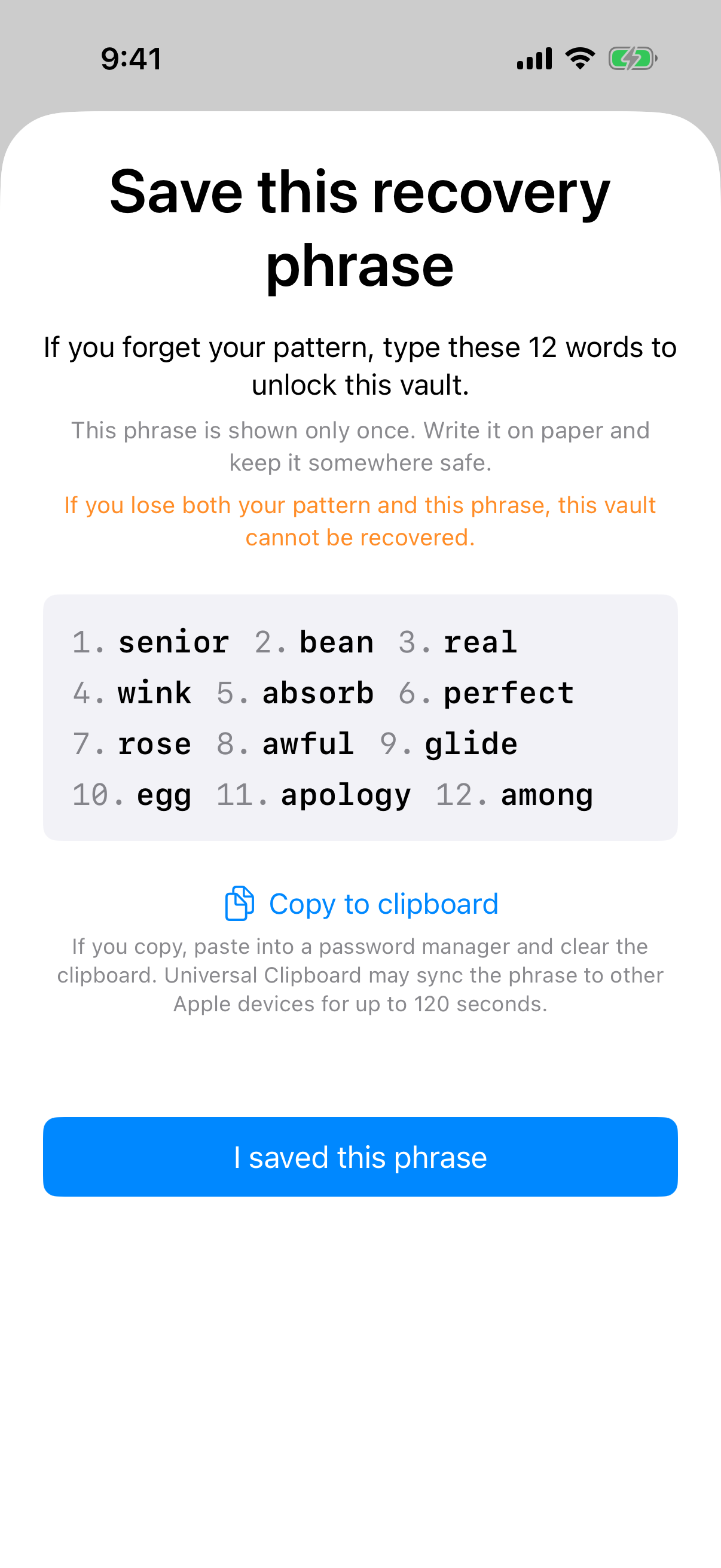 The one-time phrase screen carries the warning that losing both the pattern and the phrase means the vault cannot be recovered.
A 12-word recovery phrase per vault
Each vault has its own 12-word recovery phrase. It is shown once, when the vault is created. It is the second way into the vault, alongside the pattern.
If both the pattern and the phrase are lost, the vault cannot be opened. The support page says so directly: "we do not hold a copy, and there is no support process that can override this."
This is not a flaw to apologise for. It is the direct consequence of the design. A vendor that could recover your vault would hold a key, and a vendor that holds a key fails the zero-knowledge test above. You cannot have both properties at once.
Store the phrase somewhere separate from the phone. If the phone is lost and the phrase lived only on that phone, the phrase is lost too. Keep it in a place you will still be able to reach after the phone is gone, such as written on paper and kept somewhere safe.
What no-knowledge means for support
Support cannot reset a pattern. Support cannot unlock a vault. Support has no copy of the phrase. If someone asks the vendor for help after losing both, the honest answer is the verbatim line above.
That can feel severe. It is also what makes the claim checkable. A provider that says it cannot read your data should be unable to help you when you lock yourself out.
How to check any backup service's zero-knowledge claim
The same test applies to every service, including this one. You do not need to read source code to start. You need four questions.
Questions to ask
- Where is encryption performed? On the device before upload, or on the provider's servers after upload?
- Who holds the keys? If the provider holds a key that decrypts your files, the property fails.
- Can the provider reset access? If a support agent can restore your access without your credential, someone holds a key or a bypass.
- What happens if you lose the credential? A clear, unwelcome answer, such as "the data is gone," is a good sign. A reassuring answer is a reason to ask more.
A trustworthy service names the mechanism. It publishes algorithm names and parameters, not just adjectives. Compare what you find with the public specifications. Argon2 is defined in RFC 9106 and HKDF in RFC 5869.
The security page is the source for each mechanism named in this article: the key order, the Argon2id parameters, the nonce and tag sizes, the chunking, and the 16 GB ceiling. The support page is the source for the enabling-versus-restoring split and the recovery statement.
Limits of this design
No design covers everything. The security page includes a hedge, quoted as written: "We make no claim about what an examiner with the physical device could or could not determine." This article makes no such claim either.
What the design does claim is narrower. The storage provider holds ciphertext only. Encryption happens on the device. The pattern is never written to disk. The recovery phrase is the only other way in.
Platform coverage is also narrow. Weave Vault runs on iPhone and iPad (iOS 16 and later) and on Android. There is no Windows app, no Mac app, and no web app. There is no web sign-up. To install it, use the App Store or Google Play, both reachable from the homepage.
A claim you can test is worth more than a claim you are asked to trust. Ask the four questions of every backup service you consider.