
A photo-vault listing says "AES-256 encryption." That tells you the name of a cipher. It does not tell you where the key comes from, where the key is stored, or what the cipher leaves exposed. This article walks through those parts using Weave Vault as the worked example. Every cryptographic parameter below is taken from the app's security page, which is the source of truth.
What AES-256 encryption does to a photo
AES is the Advanced Encryption Standard, a published block cipher. It is symmetric. One 256-bit key both locks and unlocks the file.
A cipher turns the file into ciphertext
Give the cipher a photo and a key. It returns ciphertext, bytes that look random. Give it the same key again and you get the photo back. Without the key, the ciphertext is not readable.
Weave Vault seals each file with AES-256-GCM. Each file gets a fresh random 96-bit nonce and a 128-bit authentication tag.
The tag has a specific job. GCM is an authenticated mode. If a sealed file has been altered, it fails to open. It does not open as garbage. That is a property of the mode, nothing more.
256 bits is the key size, not a quality score
The number 256 is the length of the key. It is not a rating out of anything. A listing that says "AES-256" has told you the key length and the cipher family. It has not told you the mode, the key's origin, or its storage.
Why a strong cipher alone is not a private vault
The cipher is only as strong as the key and where the key lives. A 256-bit key that is stored next to the file, or derived from a weak input, gives little protection. The rest of this article is about the chain that produces and protects the key.
Where the key comes from: pattern, Argon2id, and a wrapped content key
In Weave Vault the order is fixed. The unlock pattern goes into Argon2id. Argon2id produces a key-encryption key. That key wraps a random 256-bit per-vault content key, generated by a CSRNG.
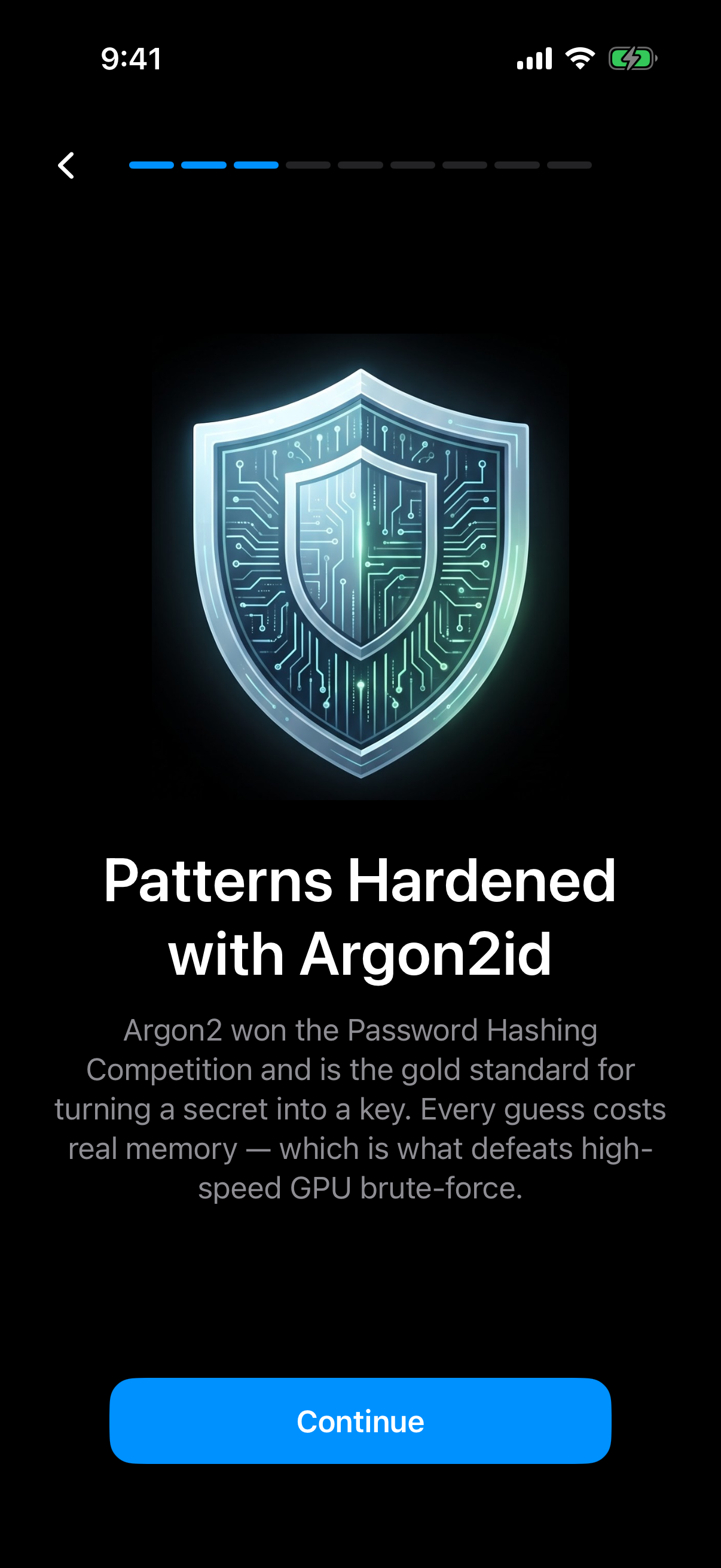 The app's own onboarding card names Argon2id as the step between the pattern and the key.
The unlock pattern is the only credential
There is no separate passphrase. The pattern is the only credential. It is drawn on a 5x5 dot grid. The setup screen asks for at least 6 dots with 2 direction changes. You can read more on the pattern unlock page.
Argon2id turns the pattern into a key-encryption key
Argon2id is a memory-hard key derivation function, specified in RFC 9106. Weave Vault uses these parameters: t=3, m=64 MiB, p=1, over a 128-bit salt.
The memory figure has a plain meaning. Each guess at the pattern has to spend 64 MiB of memory. That cost is the reason Argon2id is used. It slows down guessing. This article gives no guess-rate or time-to-crack figures, because none are published for the app.
The Argon2id-derived key does not encrypt file contents directly. Its only job is to unwrap the content key.
The content key is random, not derived
The per-vault content key is not computed from the pattern. It is generated by a CSRNG and then wrapped by the key-encryption key. Per-item subkeys are derived from it with HKDF-SHA256, defined in RFC 5869.
One consequence follows from the design. The pattern unlocks the wrapper. The wrapper holds the key. The key seals the files. Each link has a single role.
What happens to a photo when you import it
Import is the step where encryption happens to your photos. The app's empty-vault screen says AES-256 is applied before files are saved.
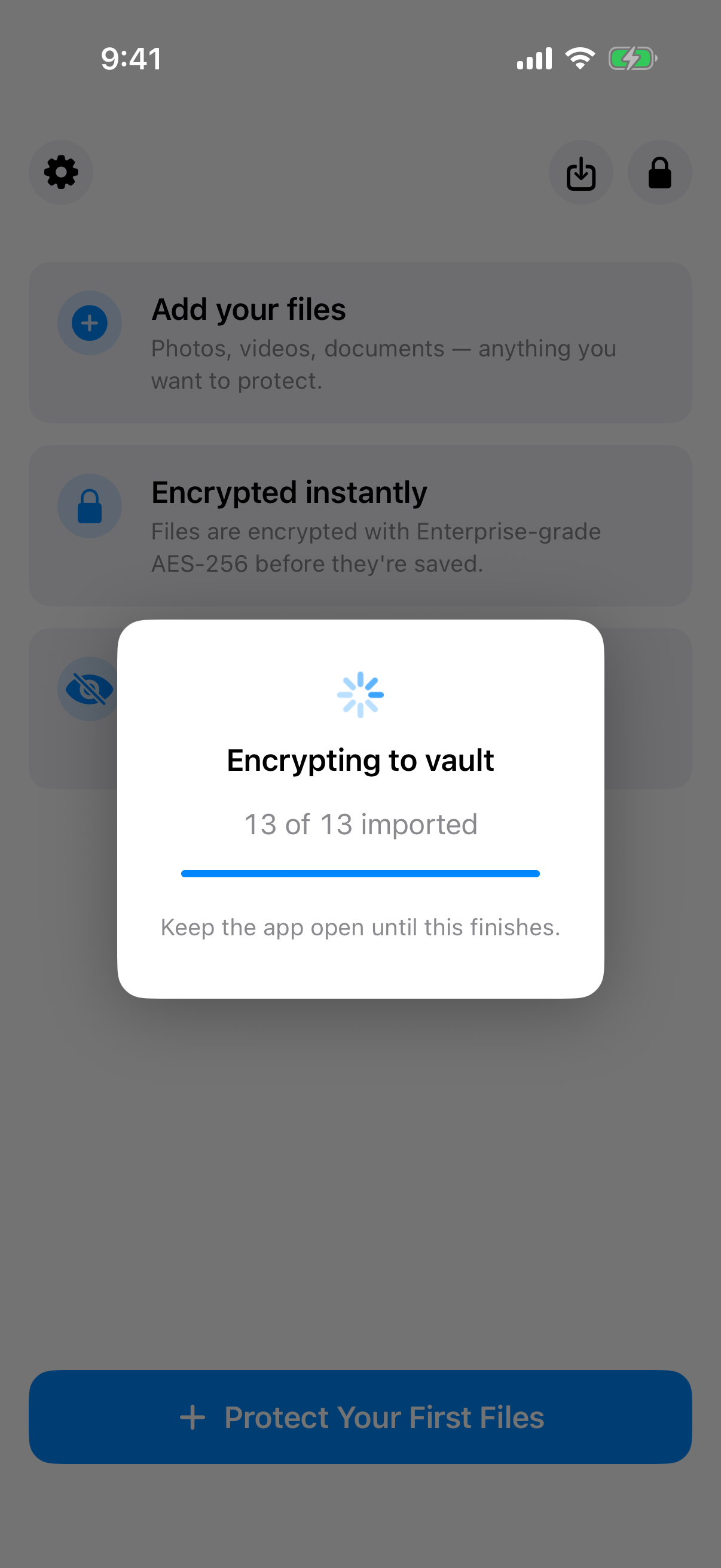 The import dialog is where each selected photo is encrypted, and it asks you to keep the app open until it finishes.
Encrypted before the file is saved to the vault
Files are encrypted as they are imported. The import dialog says to keep the app open until encryption finishes. Closing it early is the one thing the dialog asks you not to do.
Large files are chunked and each chunk is authenticated
Large files are encrypted in independently authenticated chunks. The ceiling is 16 GB per file.
The original in Photos is a separate copy
The Add Files sheet says originals stay in Photos or their original location unless you delete them there. It also notes that deleted Photos items may stay in Recently Deleted for about 30 days.
This is the limit that matters most for photos. The vault copy is encrypted. An original left in the camera roll is a different file, and the vault's encryption does not protect it.
The free tier holds up to 3 vaults and up to 50 files per vault.
What AES-256 does not cover
Strong encryption of file contents is one property. Several other things are outside it.
The pattern is never written to disk
The pattern is never written to disk. Not to a file, and not to the Keychain. There is nothing stored for the app to compare it against.
Metadata, file names, and the vault list
An unrecognised pattern opens a fresh empty vault rather than showing an error. The app keeps no vault list, switcher, or count. The multiple vaults page describes this behaviour, and the duress mode page covers the related feature.
There are no accounts to leak. The app has no account of any kind: no email, no profile, no sign-up, on free or Pro. It has no analytics, no crash reporting, and no advertising or attribution SDKs.
The physical device and the hedge
The security page states a hedge, and we quote it as written: "We make no claim about what an examiner with the physical device could or could not determine." Read that sentence as a boundary. It is not a promise that a forensic pull would recover nothing.
Malware, someone who watches you draw the pattern, and a compromised phone are outside what the cipher addresses.
Weave Vault runs on iPhone and iPad (iOS 16+) and on Android. There is no Windows, Mac, or web app.
Encrypted backup and sharing: where the ciphertext goes
The next question is where the sealed files travel, if anywhere.
There is no Weave Vault storage server
There is no Weave Vault vault-storage server. Nothing is uploaded by default. The app is also excluded from the phone's ordinary device backup by design, so a routine iCloud or Finder backup of the phone never contains it.
Backup copies ciphertext to your own iCloud or Google Drive
Encrypted backup copies the vault's ciphertext to your own iCloud or Google Drive. No vault key and no plaintext leaves the device. See the encrypted backup page for the feature itself.
The pricing split is specific. Enabling backup requires Pro. Restoring never does. The support page puts it this way: "requires Pro; restoring never does." Browsing and exporting your own files work without a subscription, including if Pro lapses.
The manifesto summarises what Pro covers: "Pro opens doors: more vaults, encrypted backup, sharing, folders." Pro is sold as a monthly subscription, an annual subscription with a 7-day trial, or a one-time lifetime purchase.
Sharing re-keys a point-in-time copy
Sharing sends a point-in-time copy of a whole vault, re-keyed from scratch each time. It has an enforced expiry, and you can revoke early from Shared vaults in the vault's settings. Recipients "don't need a vault of their own and don't need to pay for anything." Details are on the secure sharing page.
If you lose the pattern: the recovery phrase and its limit
A key the vendor cannot read is a key the vendor cannot reset. That is the whole story of recovery.
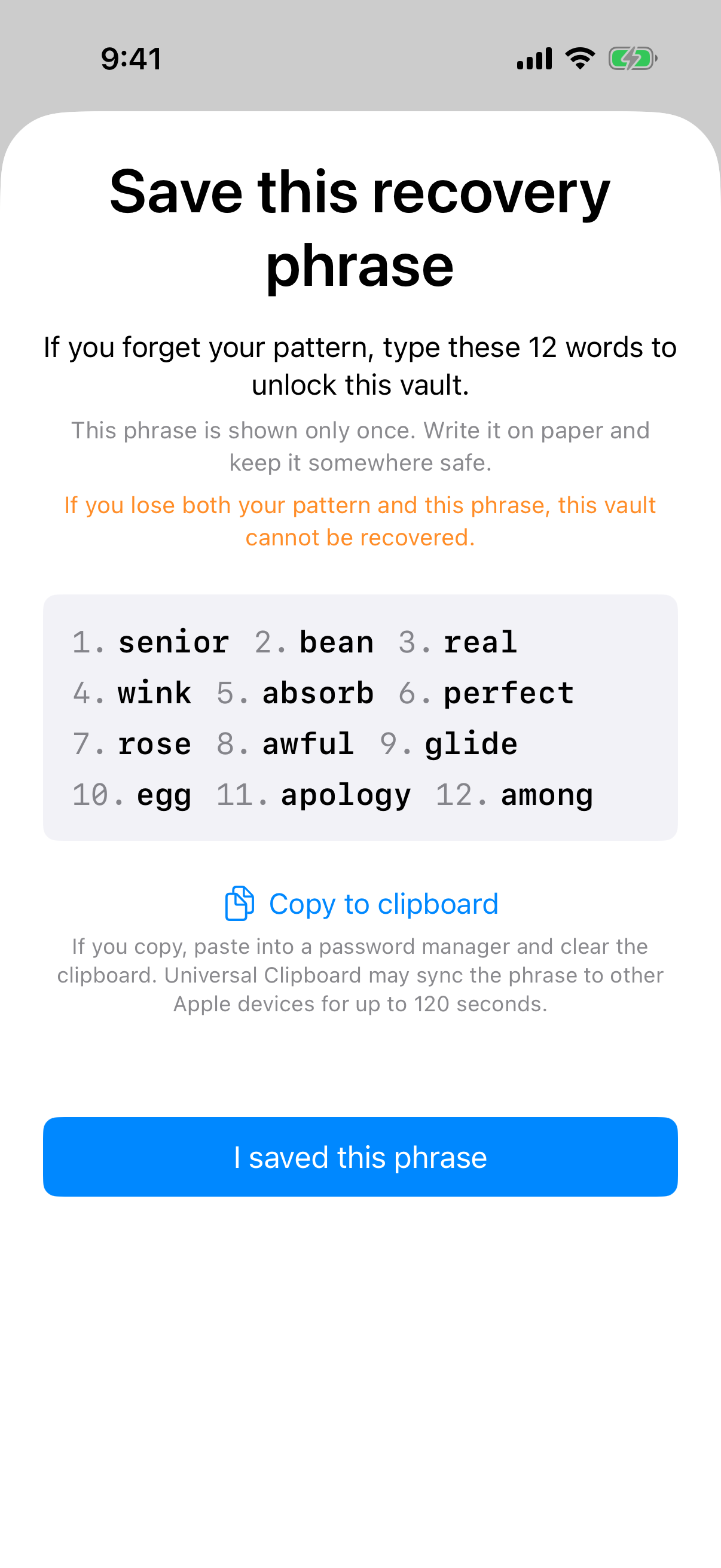 The recovery phrase screen appears once, and its warning states the limit directly: lose both the pattern and the phrase and the vault cannot be recovered.
One 12-word phrase per vault
Each vault has its own 12-word recovery phrase. The app shows it once. Write it down when you see it.
What "no backdoor" means in practice
If both the pattern and the phrase are lost, the vault cannot be opened. In the project's words: "we do not hold a copy, and there is no support process that can override this."
This follows from the key design above. No server holds a key, so no support agent can restore one.
Duress mode is a separate feature, described on the duress mode page. It is a permanent action that removes other vaults from the device, as the in-app warning states.
The app also includes a secure camera, which has its own page and is outside the scope of this article.
How to check an AES-256 claim in any photo vault app
You can test any listing with a short set of questions. The answers should be specific.
Questions to ask of the listing
- Which mode is used: GCM or another?
- Where does the key come from?
- Is the credential stretched with a memory-hard function?
- Is there an account, or a server that holds anything?
- What happens if the credential is lost?
What a verifiable statement looks like
A claim that names a mechanism can be checked. "AES-256-GCM, with a key wrapped by an Argon2id-derived key" is a statement someone can verify. A claim that names only a superlative cannot be checked, so it carries no information.
Read Weave Vault's own statements on the security page rather than taking this article's summary on trust. The article is a reading aid. The page is the source.
Weave Vault is available from the App Store and Google Play, linked from the homepage.