Short answer: yes, hidden photos can be saved to iCloud
A photo in the Photos app's Hidden album is still part of the Photos library. With iCloud Photos on, it is uploaded like any other photo in that library. This follows Apple Support's documentation on the Hidden album and on iCloud Photos.
This article separates three things: where a hidden photo is stored, what hiding actually does, and what a separate encrypted vault does differently.
Hiding moves a photo out of the main library view, it does not remove it from the library
Hiding is an organisation feature. It is not an encryption feature. The Hidden album is not a vault, and this article does not describe it as one.
What 'saved to iCloud' means when iCloud Photos is on
When iCloud Photos is on, the Photos library is kept in iCloud and kept up to date across your devices. A hidden photo belongs to that library, so it is part of what syncs. We state nothing about Apple behaviour beyond what Apple Support documents. For any detail, check the current Apple Support page on iCloud Photos.
What the Hidden album does and does not protect
The Hidden album answers one question: should this photo appear when you scroll your library? It does not answer who can reach the library.
What changes when you hide a photo
Hiding takes the photo out of the main library views and the surfaces that browse them. Apple Support documents the exact current wording, and you should read it there rather than rely on a summary here. The photo is then found in the Hidden album.
What stays the same: the library, the sync, the other devices signed in to the same Apple Account
The photo stays in the library. It stays in the sync. Anyone with access to a device signed in to the same Apple Account can reach the same library.
This is a consequence of how sync works. It is not a fault. A library that follows you across devices will follow you onto every device that signs in.
We make no statement here about Apple's server-side encryption or about Advanced Data Protection. Those are outside what we have verified.
A different model: a vault that is excluded from phone backups
Weave Vault takes a different approach. It is a separate app with its own storage, opened by a pattern. It does not sit inside the Photos library at all.
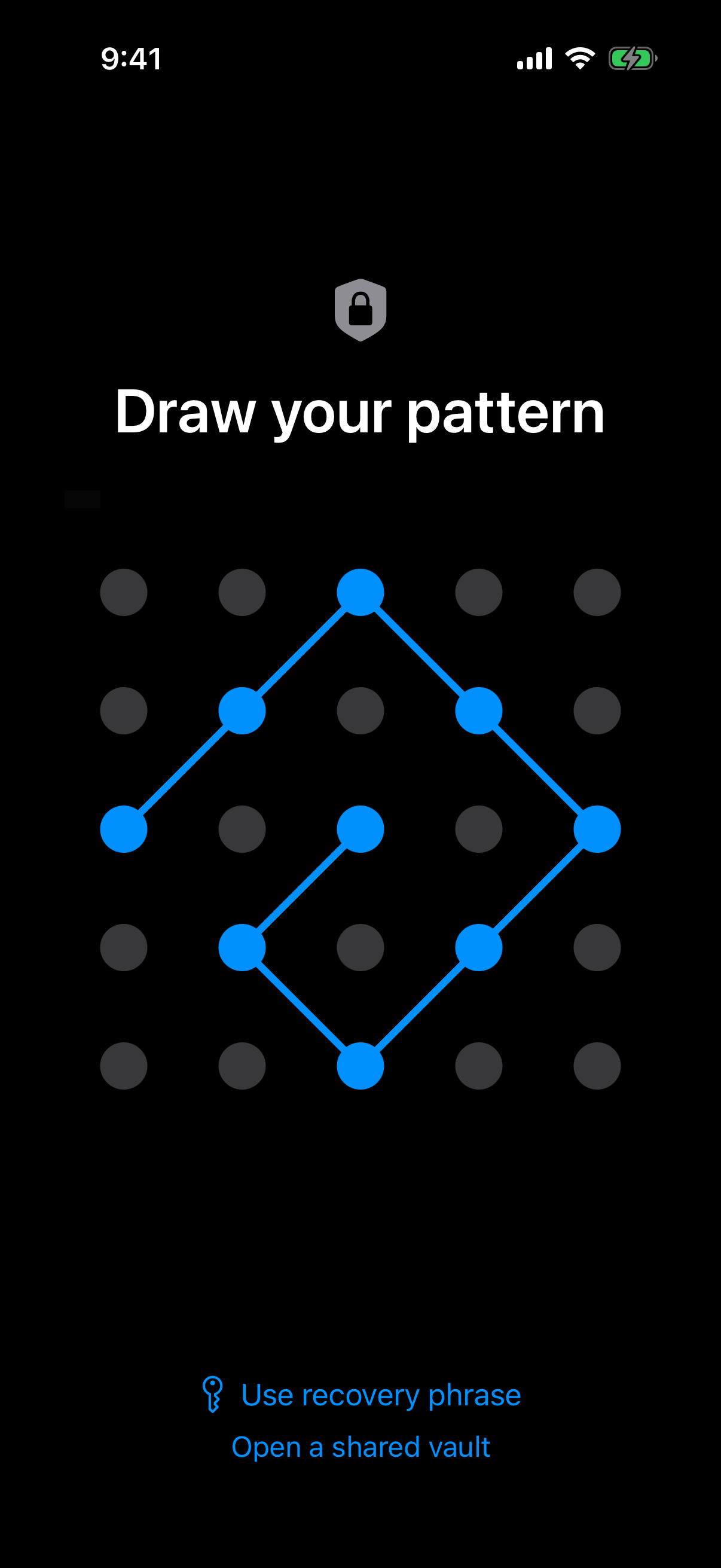 The pattern on the lock screen is the only credential, and the key hierarchy described below starts from it.
How a pattern-opened vault stores files
Files in Weave Vault are sealed with AES-256-GCM. Each file gets a fresh random 96-bit nonce and a 128-bit authentication tag.
The key hierarchy runs in this order:
- The unlock pattern.
- Argon2id, which turns the pattern into a key.
- A key-encryption key.
- A random 256-bit per-vault content key, generated by a CSRNG, which the key-encryption key wraps.
The Argon2id-derived key does not encrypt file contents directly. There is no separate passphrase. The pattern is the only credential.
Argon2id runs with the parameters in RFC 9106: t=3, m=64 MiB, p=1, over a 128-bit salt. Per-item subkeys are derived with HKDF-SHA256, specified in RFC 5869. The full description is on the Security page.
The pattern is never written to disk. Not to a file, and not to the Keychain.
An unrecognised pattern opens a fresh empty vault rather than showing an error. The app keeps no vault list, switcher, or count. The pattern unlock and multiple vaults pages describe this behaviour.
We make no claim about what an examiner with the physical device could or could not determine.
Why a routine iCloud or Finder backup of the phone never contains it
Weave Vault is excluded from the phone's ordinary device backup by design. So a routine iCloud or Finder backup of the phone never contains it.
Nothing is uploaded by default. There is no account of any kind, on free or Pro: no email, no profile, no sign-up. There is no analytics, no crash reporting, and no advertising or attribution SDKs.
Moving photos out of the camera roll: what happens to the originals
Moving a photo into a vault and removing it from the library are two different actions. Only the first happens when you import.
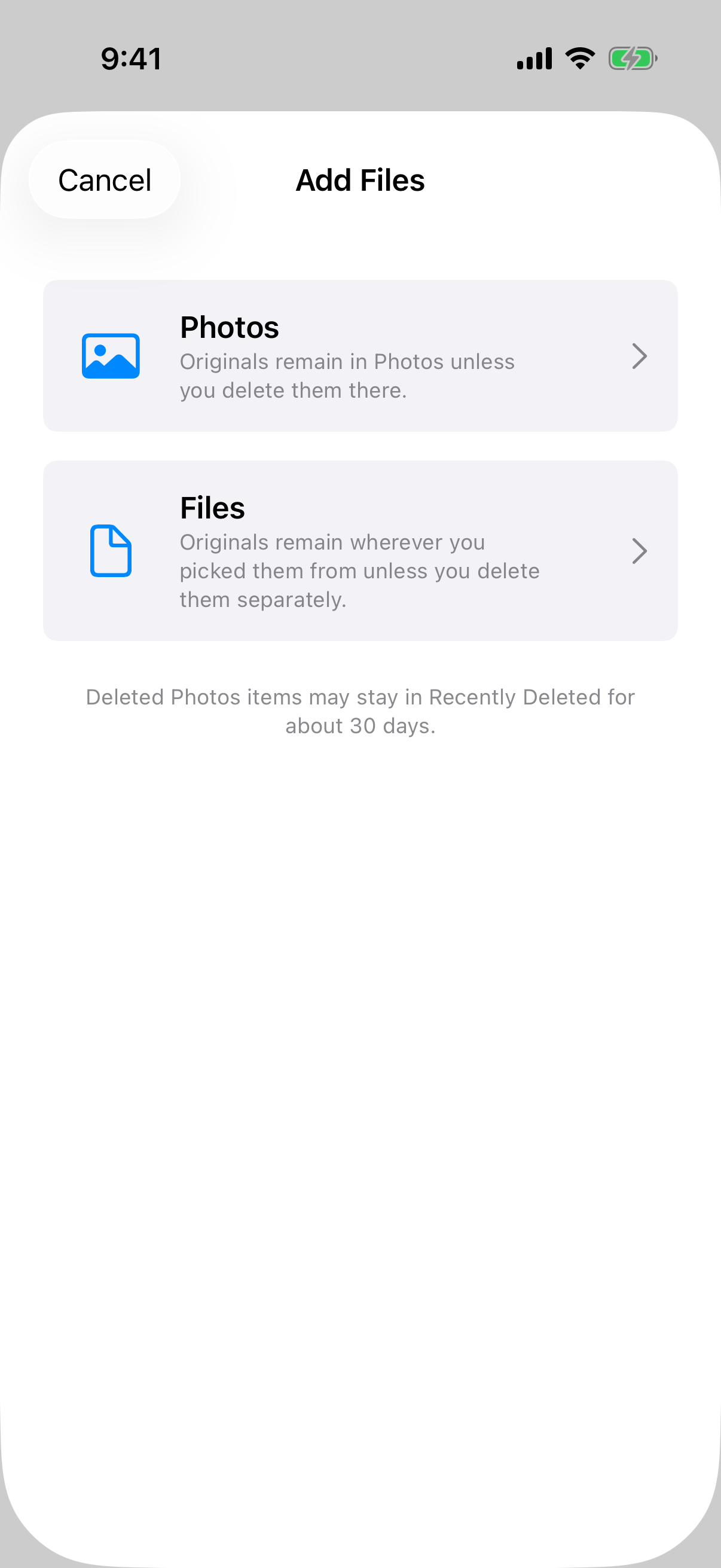 The Add Files sheet states that originals stay put and that Recently Deleted may hold them for about 30 days.
Importing from Photos or Files
Importing copies the photo into the vault. The original stays in Photos, or in its original location, unless you delete it there. You can import from Photos or from Files. Imported items can be organised into folders.
Deleting the original is a separate step
If iCloud Photos is on, deleting the original in Photos is what removes it from the Photos library on synced devices. Check this yourself on your own devices after you delete. Apple Support documents the exact behaviour, and we do not restate it from memory.
Recently Deleted
Deleted Photos items may stay in Recently Deleted for about 30 days, per the in-app note. Until they leave that album, a copy still exists on the device.
On the free tier, a vault holds up to 50 files, and you can have up to 3 vaults. Storage is not unlimited.
If you do want an iCloud copy: encrypted backup, and the Pro split
Some people want a copy of the vault in iCloud. Weave Vault supports that, and it works differently from iCloud Photos.
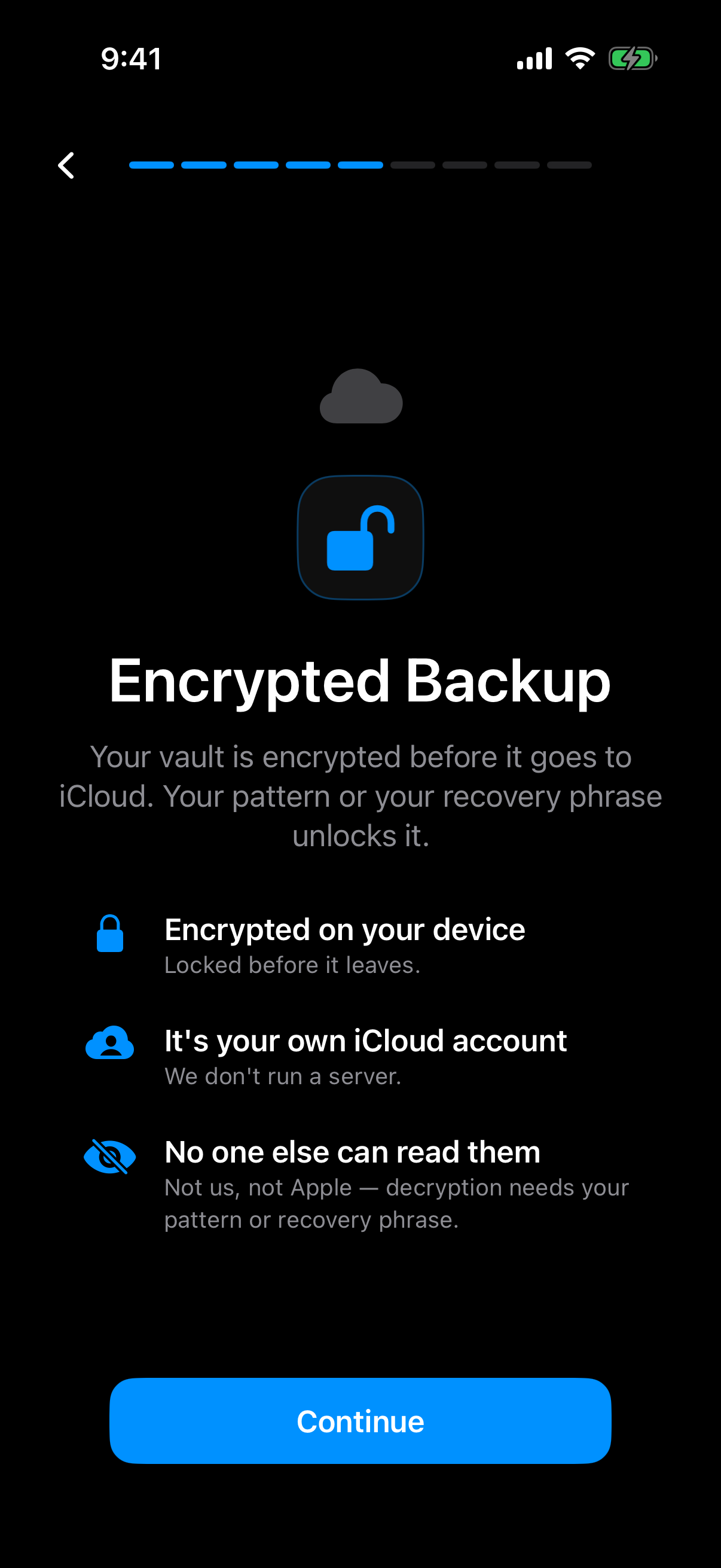 The onboarding screen shows that the vault is encrypted on the device before anything reaches your own iCloud account.
What goes to iCloud
There is no Weave Vault vault-storage server. Encrypted backup copies the vault's ciphertext to your own iCloud or Google Drive. No vault key and no plaintext leaves the device.
Enabling versus restoring
The split is exact. Enabling backup requires Pro. Restoring never does. The Support page says it directly: "requires Pro; restoring never does."
Browsing and exporting your own files work without a subscription, including if Pro lapses.
Pro is sold as a monthly subscription, an annual subscription with a 7-day trial, or a one-time lifetime purchase. So backup is neither simply free nor simply paid. Turning it on needs Pro. Getting your data back does not.
Losing access: recovery phrase and the limits of the design
A pattern is the only credential, so the design has a hard edge. You should know where it is.
Each vault has its own 12-word recovery phrase
Each vault has its own 12-word recovery phrase. Store it somewhere you control, away from the phone.
What happens if both are lost
If both the pattern and the phrase are lost, the vault cannot be opened. In the words of the project's own documentation: "we do not hold a copy, and there is no support process that can override this."
A wrong pattern does not produce an error. It opens a fresh empty vault. If a vault looks empty, check the pattern before assuming the files are gone.
Weave Vault runs on iPhone and iPad (iOS 16+) and on Android. There is no Windows, Mac or web app.
Checking your own setup: a short checklist
These steps use only what you can see in Settings and Photos on your own device. We do not give menu paths from memory, because they change between iOS versions. Apple Support has the current ones.
Is iCloud Photos on
Open your Apple Account settings and find the iCloud Photos switch. Note whether it is on. If it is on, the Hidden album is part of what syncs.
Which photos are in Hidden
Open the Hidden album in Photos. Look at what is there. Ask who else is signed in to the same Apple Account on any device.
Which of them should live somewhere else
Decide which photos you want outside the Photos library entirely. Import those into a vault, then delete the originals in Photos as a separate step. Check Recently Deleted afterwards.
Weave Vault is on the App Store and Google Play, reached through the home page. There is no signup and no web flow.