You keep photos on an SD card, or you plan to. You want to know whether a photo vault app will protect them. This guide answers that by describing mechanisms. It covers what hiding does, what encryption does, where the key comes from, and what backup and recovery really require. The product details come from Weave Vault's security page and support page.
Why a photo on an SD card is not private by default
An SD card is a small piece of removable storage. Anyone who holds it can put it in a reader and look at it. That is the whole problem, and it needs no statistics to state. It follows from how the storage works.
Removable storage and who can read it
Android describes two ways to use a card. Portable storage is treated as removable media, and other devices can read it. Adoptable storage is formatted and encrypted so that it is tied to one device. Android's own documentation explains the difference in its adoptable storage guide. Whether your phone offers the adoptable option depends on the manufacturer.
Most people use a card as portable storage. A card used that way keeps ordinary files in ordinary folders. Take it out, and the files are there to read.
Hidden versus encrypted
Hiding a file and sealing a file are different acts.
Hiding changes a folder name, adds a leading dot, or sets a flag. The bytes of the photo are unchanged. Someone who reads the card sees the same JPEG, with a different name or a flag on it. A renamed file is still a readable file.
Sealing means encrypting the file with a key. Someone who reads the card sees ciphertext. Without the key, those bytes do not open as a photo.
So the first question for any vault app is simple. Does it hide the file, or does it encrypt it?
What a real photo vault does on Android
Weave Vault runs on Android as well as iPhone and iPad. There is no Windows, Mac or web app. The Android details are on the Android page. The cryptography below is the same design the security page publishes.
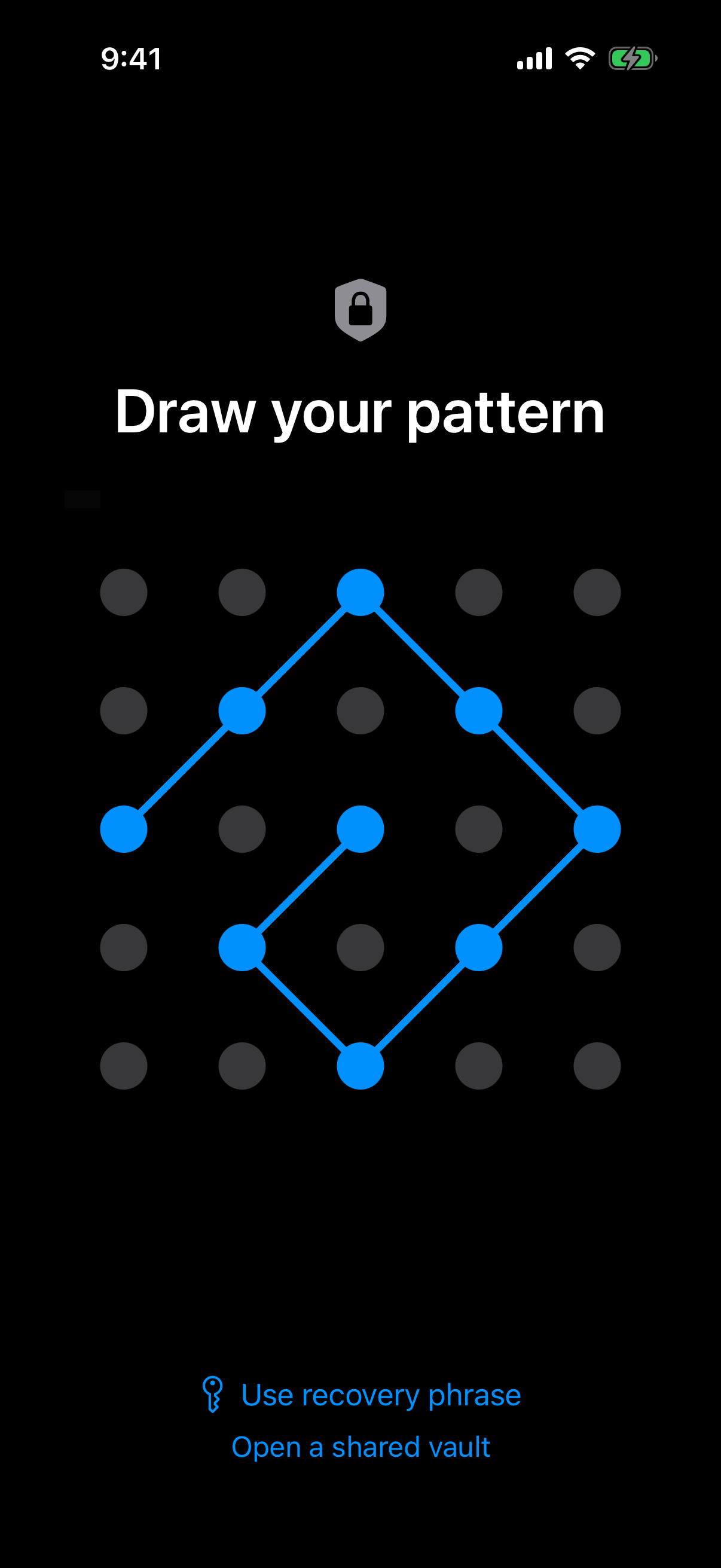 The unlock pattern on a 5x5 grid is the only credential, and every key in the vault starts from it.
Authenticated encryption per file
Weave Vault seals each file with AES-256-GCM. Each file gets a fresh random 96-bit nonce and a 128-bit authentication tag. The tag means a changed file fails to open instead of opening as damaged data.
Per-item subkeys are derived with HKDF-SHA256, defined in RFC 5869. Large files are encrypted in independently authenticated chunks. The ceiling is 16 GB per file.
Where the key comes from
The key chain runs in a fixed order:
- You draw the unlock pattern.
- Argon2id turns the pattern into a key. The parameters are t=3, m=64 MiB, p=1, over a 128-bit salt, as specified in RFC 9106.
- That output becomes a key-encryption key.
- The key-encryption key wraps a random 256-bit per-vault content key. A CSRNG generates the content key.
The Argon2id-derived key does not encrypt file contents directly. It only unwraps the content key. There is no separate passphrase. The pattern is the only credential.
The pattern is never written to disk. It is not saved to a file. The app derives the key from what you draw and does not store the drawing.
Moving photos off the SD card and into a vault
Adding files to the vault encrypts them as they are imported. The app shows an "Encrypting to vault" progress dialog. It asks you to keep the app open until the import finishes.
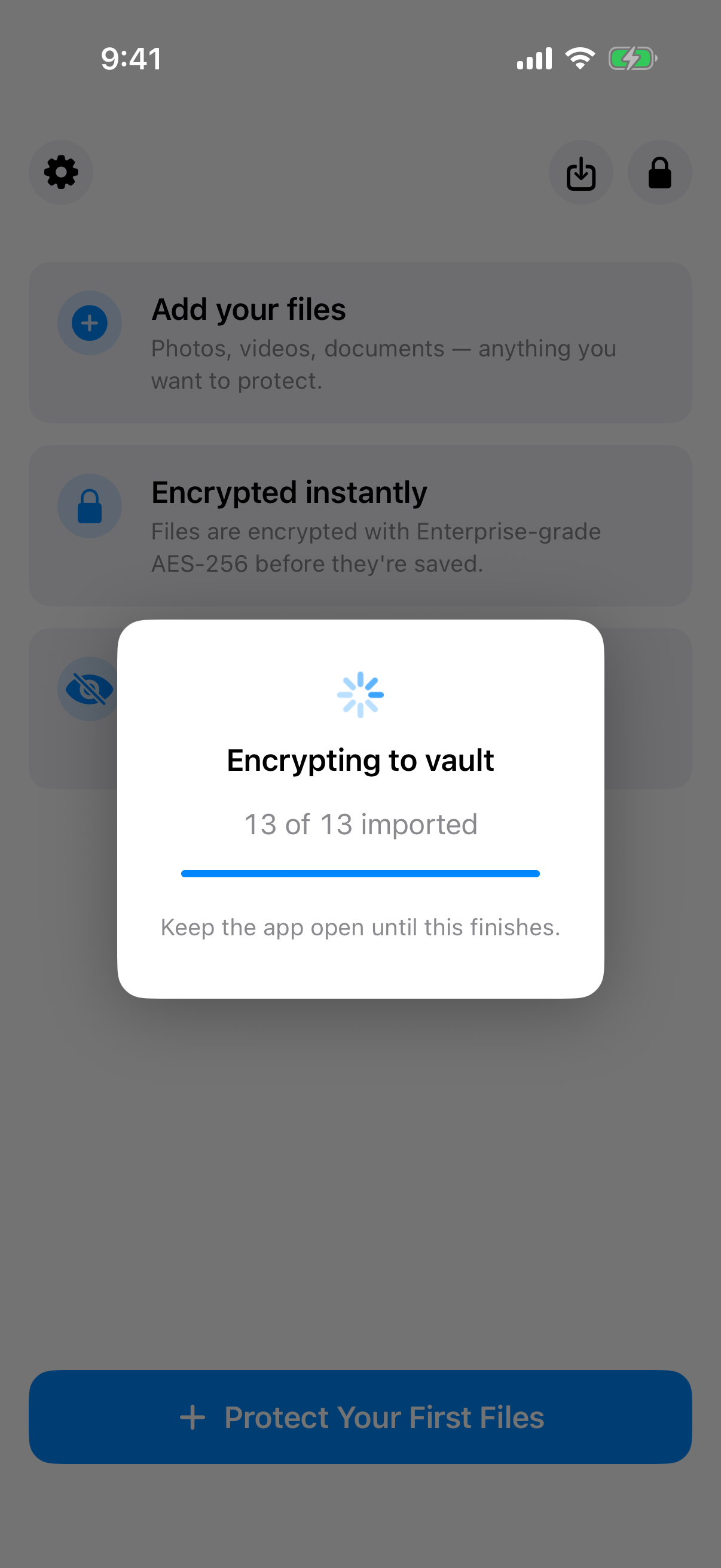 The progress count (13 of 13) is the signal that every photo has been encrypted on its way in.
Import is a copy, so check the original
Importing does not remove the original by itself. The unencrypted original stays where it was until you delete it. If the original is on your SD card, it is still on your SD card after the import.
So do this in order:
- Import the photos and wait for the dialog to finish.
- Open several of them from inside the vault.
- Only then delete the originals from the card.
Do not delete anything from the card before you have confirmed the files open from the vault. A deleted original with an unopened copy leaves you with nothing to check.
What the app does and does not state about storage
Weave Vault's published pages do not say where the encrypted vault is stored on the device. They also do not say whether the app reads from an SD card or writes to one. This article does not claim either.
That has one practical consequence. Do not assume the vault lives on the card. Do not assume it does not. Treat your SD card as a place where unencrypted originals may still sit, and clear them once you have checked the vault.
Two plan limits matter here:
- The free tier allows up to 3 vaults and up to 50 files per vault. The app does not offer unlimited storage.
- Folders to organise a large photo set are a Pro feature. See the folders page.
Backup without a vault server
A card is a single point of failure. It can be lost, cracked or corrupted. A vault that lives in one place is one failure away from gone. A backup is a separate copy of the vault.
Encrypted backup to your own cloud
There is no Weave Vault vault-storage server. Encrypted backup copies the vault's ciphertext to your own cloud account. On Android that is Google Drive. On iPhone and iPad it is iCloud. No vault key and no plaintext leaves the device. Nothing is uploaded by default.
Weave Vault is also excluded from the phone's ordinary device backup by design. A routine backup of the phone does not contain it. If you want a copy, you must turn on encrypted backup. The encrypted backup page has the detail.
Enabling versus restoring
The split is exact. The support page says enabling backup "requires Pro; restoring never does."
- Enabling backup requires Pro.
- Restoring a backup never requires Pro.
- Browsing and exporting your own files work without a subscription, including if Pro lapses.
Pro is a monthly subscription, an annual subscription with a 7-day trial, or a one-time lifetime purchase.
If you forget the pattern
The pattern is the only credential, so losing it matters. The vault has one fallback.
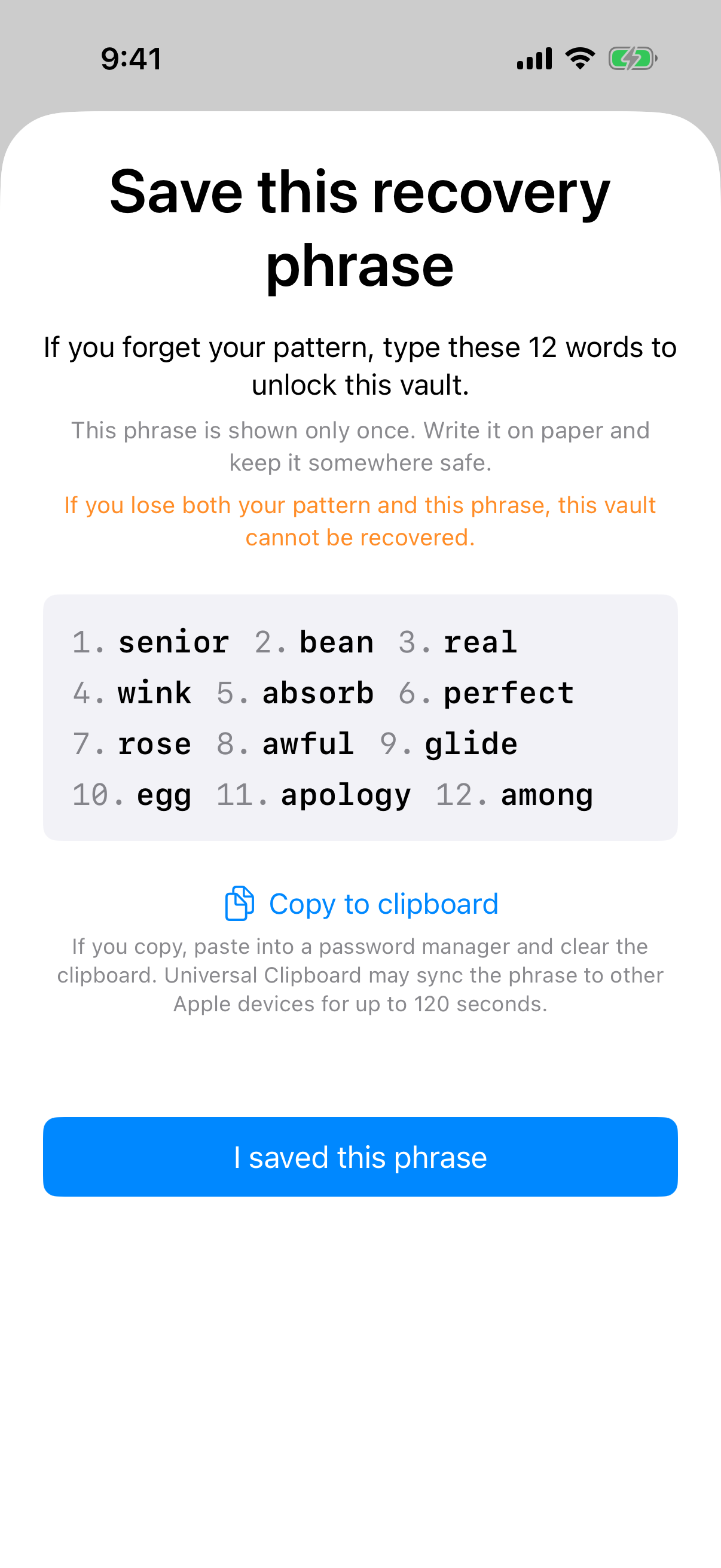 The recovery phrase screen appears once, with a warning that losing both the pattern and the phrase is final.
The 12-word recovery phrase
Each vault has its own 12-word recovery phrase. The app shows it once, when the vault is created. Write it down then. It is not shown again.
Store the phrase somewhere other than the phone and the card. If it sits on the same device as the vault, one loss takes both.
What no one can do for you
If both the pattern and the phrase are lost, the vault cannot be opened. The support page puts it this way: "we do not hold a copy, and there is no support process that can override this."
There is no reset because there is nobody to reset it. Weave Vault has no account of any kind. There is no email, no profile and no sign-up, on free or Pro. There is also no analytics, no crash reporting and no advertising or attribution SDKs. Nothing on the company side holds a key or a way to reach one.
A short checklist for choosing a vault app
These questions work on any app, including this one.
Questions to ask any app
- Is each file encrypted, or only hidden?
- Is the key derived from something the app never stores?
- Is there a server or an account?
- What does backup copy, and where does it copy it?
- What happens if the credential is lost?
A good answer names a mechanism. "Military-grade" is not a mechanism. "AES-256-GCM with a key derived by Argon2id" is one, and you can check it against a published standard.
What this app does not claim
Weave Vault publishes this hedge: "We make no claim about what an examiner with the physical device could or could not determine." Read it as stated. It does not promise that a forensic pull would recover nothing.
One behaviour is worth knowing. An unrecognised pattern opens a fresh empty vault rather than showing an error. The app keeps no vault list, switcher or count. That describes how the app works. It is not a guarantee of secrecy.
The pattern unlock page explains the lock screen in more detail.
Where to go next
Weave Vault is on Google Play. Reach it through the homepage. There is no web signup.