Most guides to a secret folder on iPhone stop at the word "hidden". They do not say what hidden means. This guide sorts the options by mechanism: hidden from view, locked behind a credential, or encrypted with a key derived from that credential. It then describes how one encrypted vault app, Weave Vault, does the third, using only statements published on its own pages.
What 'secret folder' means on an iPhone
A secret folder is any place on the phone where you keep items away from the main view. The word covers three different mechanisms. They protect against different things.
Hidden from view versus locked versus encrypted
- Hidden. The item is absent from the main view. No separate credential protects it.
- Locked. A credential gates access to the item.
- Encrypted. The file contents are ciphertext. Without the key they are unreadable.
A hidden item and an encrypted item are different things. A hidden item moves. An encrypted item changes form. This article sorts every method by that distinction.
Who you are actually hiding things from
The realistic threat is someone briefly handling an unlocked or shared phone. A partner, a child, a colleague, a friend scrolling through your photos. Hiding and locking address that threat. Encryption adds a stronger guarantee about the stored files themselves.
This guide does not cover forensic or law-enforcement scenarios. The one statement the app's authors make on that subject is quoted word for word later.
Platform scope: Weave Vault runs on iPhone and iPad (iOS 16+) and on Android. It has no Windows, Mac or web app.
Built-in options and where they stop
Apple's own tools are the first place most people look. Each one has a stated purpose, and each purpose is narrower than "encrypted vault".
The Hidden album in Photos
The Photos app has a Hidden album. Its purpose is to take items out of the main library view. That changes where an item appears.
Locked notes and the Files app
The Notes app can lock individual notes, and the Files app stores documents. Each is built for its own job: notes for writing, files for documents.
What the built-in options do not give you
For exactly what each feature does on your iOS version, read Apple Support's own documentation for the Photos Hidden album, locked notes and the Files app. This guide does not state how Apple stores or protects these items internally, and it does not rank them. The point is narrower. Moving an item out of view is a different mechanism from encrypting its contents with a key derived from a credential only you know. The next section describes the second one.
How an encrypted vault app works
Weave Vault is an encrypted vault app. Everything in this section comes from its published security page and its multiple vaults page.
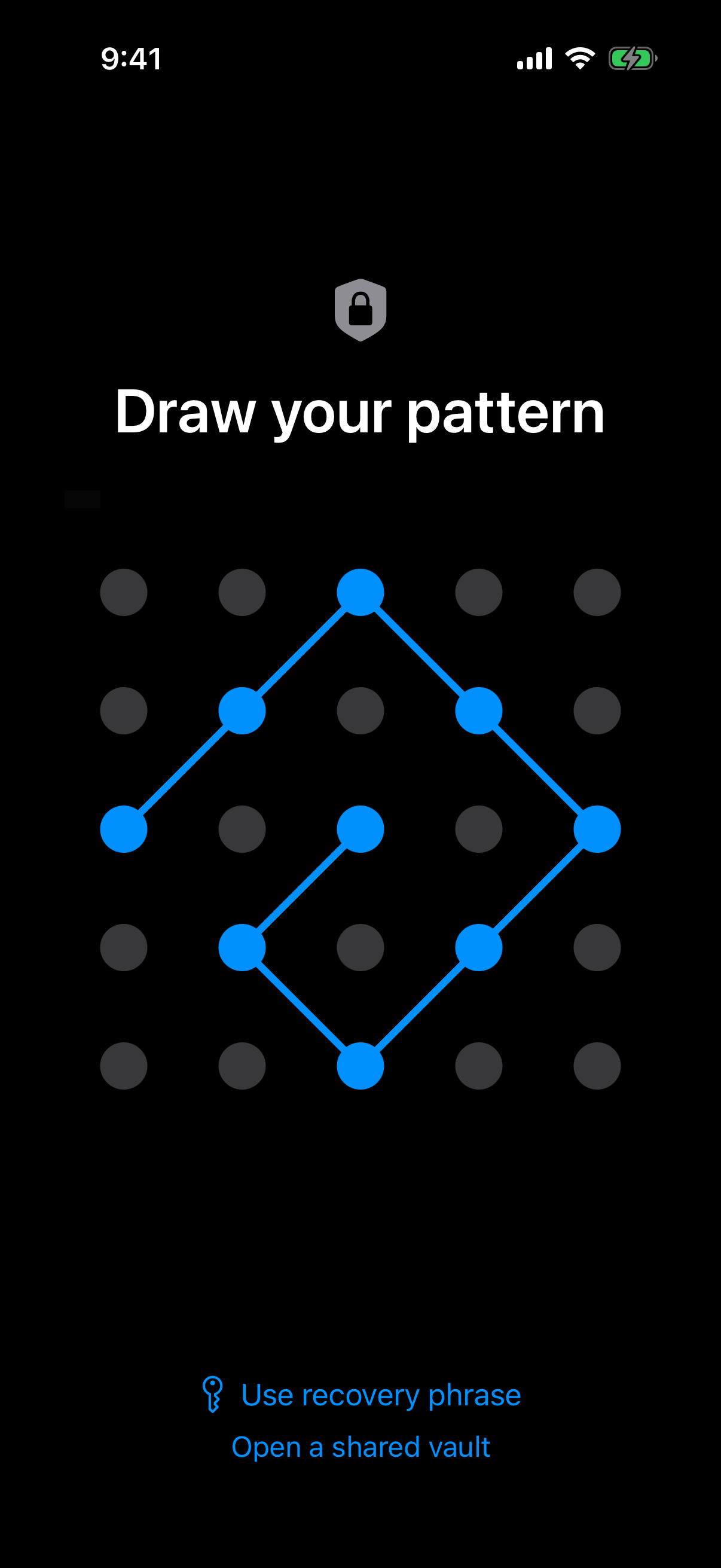 The unlock screen: the pattern drawn on this 5x5 grid is the only credential the vault has.
The pattern is the only credential
There is no separate passphrase. The pattern is the only credential, and it is never written to disk: not to a file, not to the Keychain. You can read more about the unlock method on the pattern unlock page.
From pattern to file encryption: the key hierarchy
The order matters. The unlock pattern goes through Argon2id. Argon2id produces a key-encryption key. That key-encryption key wraps a random 256-bit per-vault content key, generated by a CSRNG. The Argon2id-derived key does not encrypt file contents directly.
The parameters follow RFC 9106: t=3, m=64 MiB, p=1, over a 128-bit salt. Per-item subkeys are derived with HKDF-SHA256, defined in RFC 5869.
Files are sealed with AES-256-GCM. Each file gets a fresh random 96-bit nonce and a 128-bit authentication tag. Large files are encrypted in independently authenticated chunks. The ceiling is 16 GB per file.
Why an unrecognised pattern opens an empty vault
An unrecognised pattern opens a fresh empty vault rather than showing an error. The app keeps no vault list, switcher or count. This is documented behaviour. A wrong guess does not announce itself as wrong.
On physical-device analysis, the app's authors say this, and it is quoted exactly: "We make no claim about what an examiner with the physical device could or could not determine." Nothing here promises that a forensic pull would recover nothing.
A related feature, duress mode, has its own page.
Setting up a secret folder in Weave Vault
The first run has four steps. Weave Vault is available from the App Store on iPhone and iPad, and from Google Play on Android. The steps below are the same flow documented for the app.
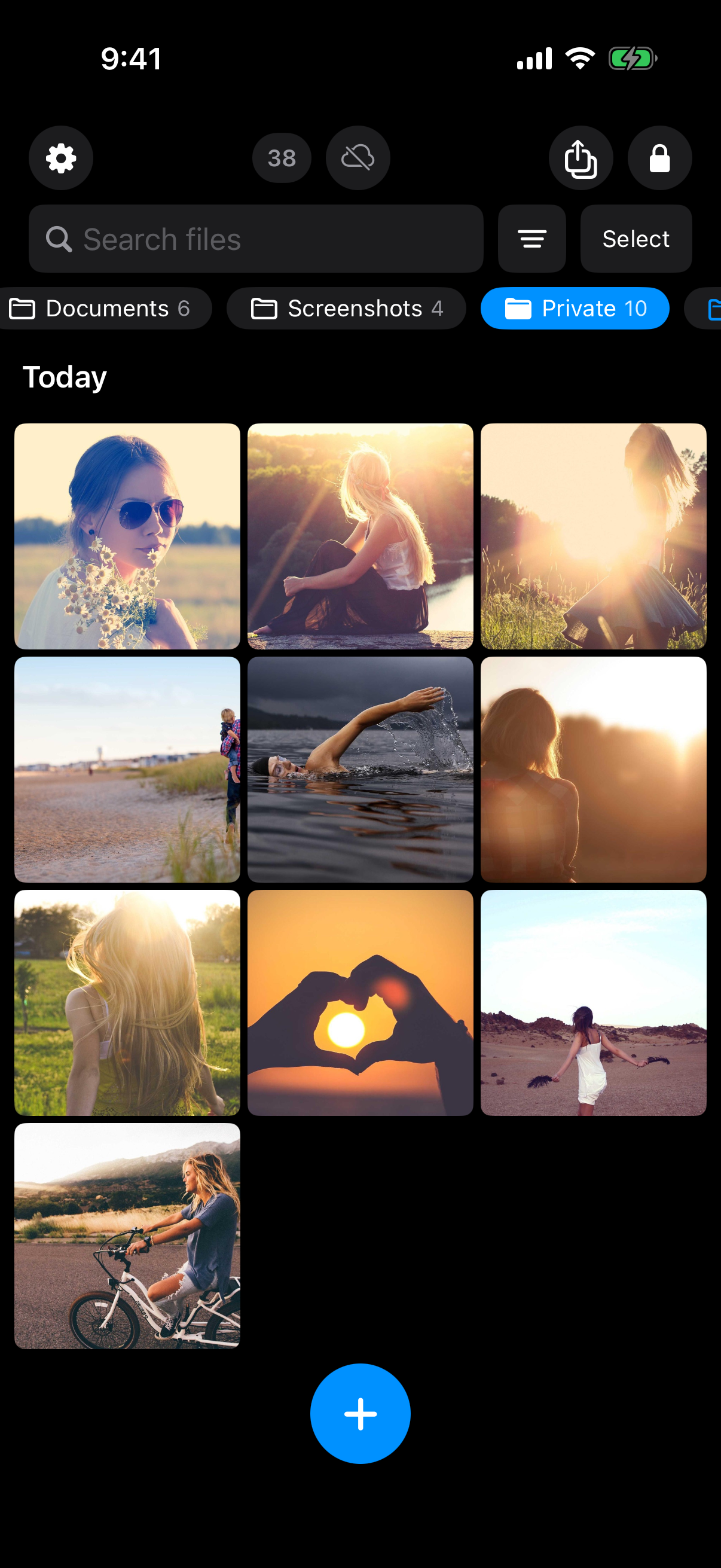 A folder inside a vault holding private photos: the result of the import step described below.
Create a pattern and save the recovery phrase
Draw a pattern on the 5x5 dot grid. Confirm it by drawing it again. The app then shows a 12-word recovery phrase. Save it somewhere you control.
Each vault has its own 12-word recovery phrase. If both the pattern and the phrase are lost, the vault cannot be opened. The support page puts it this way: "we do not hold a copy, and there is no support process that can override this."
No account is needed for any of this. There is no email, no profile and no sign-up, on free or Pro. There is no web signup either.
Import photos and files
Import comes from Photos or Files. Importing places a copy in the vault. The app's Add Files sheet notes that the originals stay where they were unless you delete them there. Delete the originals yourself. Then check the Recently Deleted album in Photos, because deleted items can stay there for a while before they are removed.
The app does not remove the original from the Photos app for you.
The free tier allows up to 3 vaults and up to 50 files per vault.
Organise with folders (a Pro feature)
Folders need Pro. They are not part of the free tier. The manifesto says: "Pro opens doors: more vaults, encrypted backup, sharing, folders." Details are on the folders page.
What stays on the phone: backup, sharing and the network
A vault app is only as private as its network behaviour. Here is what Weave Vault states.
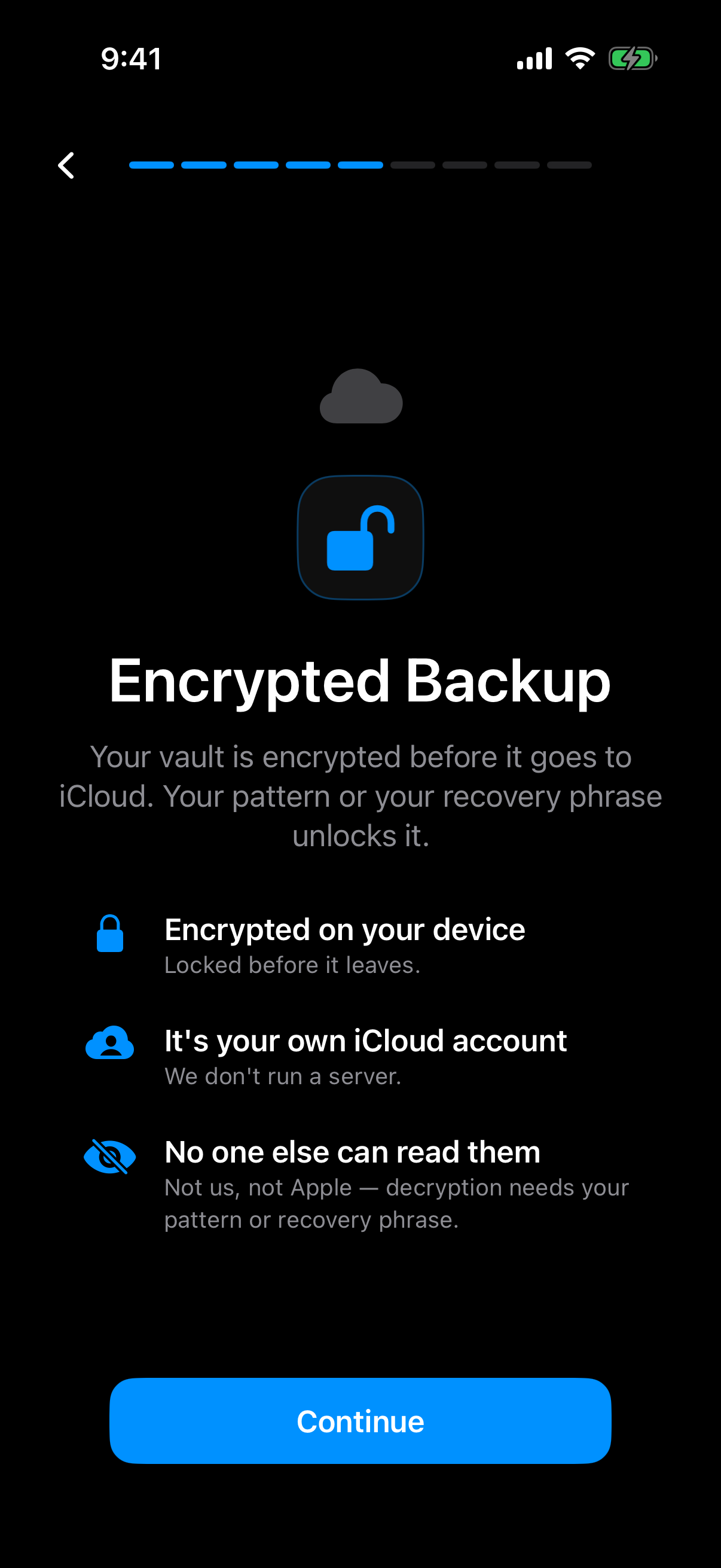 The app's own explanation that the vault is encrypted on the device before it goes to your cloud storage.
No analytics, no server holding your vault
The app has no analytics, no crash reporting, and no advertising or attribution SDKs. There is no Weave Vault vault-storage server. The vault lives on your device.
Encrypted backup: enabling needs Pro, restoring never does
Encrypted backup copies the vault's ciphertext to your own iCloud or Google Drive. No vault key and no plaintext leaves the device. Nothing is uploaded by default. See the encrypted backup page.
Weave Vault is also excluded from the phone's ordinary device backup by design. A routine iCloud or Finder backup of the phone never contains it.
The pricing split is exact. Enabling backup requires Pro. Restoring never does. Browsing and exporting your own files work without a subscription, including if Pro lapses.
Sharing a point-in-time copy
Sharing sends a point-in-time copy of a whole vault. It is re-keyed from scratch each time, with an enforced expiry and early revocation from Shared vaults in the vault's settings. Recipients "don't need a vault of their own and don't need to pay for anything." The secure sharing page has the details.
Choosing between the options
The table sorts the three mechanisms by what each one is, using the definitions above. The last column is Weave Vault, filled in from its published statements only.
| Hidden from view | Locked | Encrypted vault (Weave Vault) | |
|---|---|---|---|
| What it does | Item absent from the main view | A credential gates access | File contents are ciphertext without the key |
| Separate credential | Not by definition | Yes, by definition | Yes: the pattern, the only credential |
| Encryption of contents | Not by definition | Not by definition | AES-256-GCM, per file |
| Account required | Check the feature's documentation | Check the feature's documentation | No account, free or Pro |
| Network behaviour | Check the feature's documentation | Check the feature's documentation | No analytics, no vault-storage server; backup goes to your own iCloud or Google Drive |
A short comparison by mechanism
The first two columns are definitions, not product reviews. Whether a given built-in feature fits a column is a question for Apple's documentation. The third column is checkable against the app's security page and features overview.
Questions to ask of any hiding app
- Is there an account?
- What does the unlock method protect: the view, or the files?
- Where is the key derived?
- What happens if you forget the credential?
The trade-off is real. A credential nobody can reset means a lost pattern plus a lost phrase is permanent. That is the cost of there being no copy anywhere else.
Pro is sold as a monthly subscription, an annual subscription with a 7-day trial, or a one-time lifetime purchase. Prices are shown in the store listing.
To try it, get Weave Vault from the App Store or Google Play via the homepage.