
If you searched "vaulty app login," you're probably staring at a login screen for Vaulty right now — locked out, trying to remember a password, or wondering if there's a way back into your files without a support flow. This page asks a different question: does a private vault app need a login at all?
weavevault.app was built without one. There's no email to register, no account to log into, and no password to forget — you draw a pattern, and if you ever forget it or need to set the app up on a new device, a 12-word recovery phrase (generated separately, per vault) gets you back in. Vaulty, on the other hand, has a login screen — that's the premise of this search term, not an insult. It's a different model, and this page compares them: what happens when you're locked out, where each app keeps the thing that unlocks it, and what the free tier of each actually includes.
This isn't about which app is "better" in the abstract. It's about whether you want an account you can recover by email, or you'd rather have no account for anyone — including a support team — to reset. See the comparison table below, or read up on locking apps on iPhone and what actually protects your files for the underlying mechanics.
| Feature | weavevault.app | Vaulty | |
|---|---|---|---|
| Account or sign-up required to use the app | ✗ — no email, no profile, no sign-up, on free or Pro | Requires logging in (the app has a login step, by definition of this search) | weavevault.app side verified via /security and /support; Vaulty needing a login is the premise of the search term itself, not an inferred weakness — no other Vaulty claim is made |
| What happens when you forget how to get back in | Each vault has its own 12-word recovery phrase; if both the pattern and the phrase are lost: "we do not hold a copy, and there is no support process that can override this" | Not independently verified | no verified source describes Vaulty's account-recovery process; not claimed |
| Where the unlock credential lives | The pattern is never written to disk — not to a file, not to the Keychain | Not independently verified | no verified source describes how or where Vaulty stores login credentials |
| Free tier limits | Free: up to 3 vaults, up to 50 files per vault; browsing and exporting your own files works without a subscription even if Pro lapses | Not independently verified | no verified current pricing/limits data for Vaulty at time of writing |
Account and login model
Start with the structural difference, because everything else on this page follows from it: weavevault.app has no account of any kind. There's no email field anywhere in the app, no profile, no sign-up screen, and nothing tied to your identity on our servers — this holds on the free tier and on Pro. You install the app, set a pattern, and that pattern is the entire authentication model. There is no username to forget alongside it, because there is no username.
Vaulty, by the nature of the search that brought you here, has a login step. That's not a criticism — it's the premise of "vaulty app login" as a search term, and we're not going to speculate about how that login screen works, what it stores, or how secure it is, because none of it is independently verified. Anything more specific than "Vaulty requires logging in" would be a claim we can't back up, so we're not making it.
What we can say is what the absence of an account changes for you as a user. There's no password-reset email that can be intercepted, no account-recovery support ticket that can be socially engineered, and no central database of user accounts that could be breached to expose who has a vault at all. The trade-off is symmetrical and real: an account also means someone else can help you get back in if you're stuck, which a pattern-only app structurally cannot offer in the same way. Whether that favors weavevault.app or Vaulty depends on what you're protecting against — we cover that honestly in the verdict below.
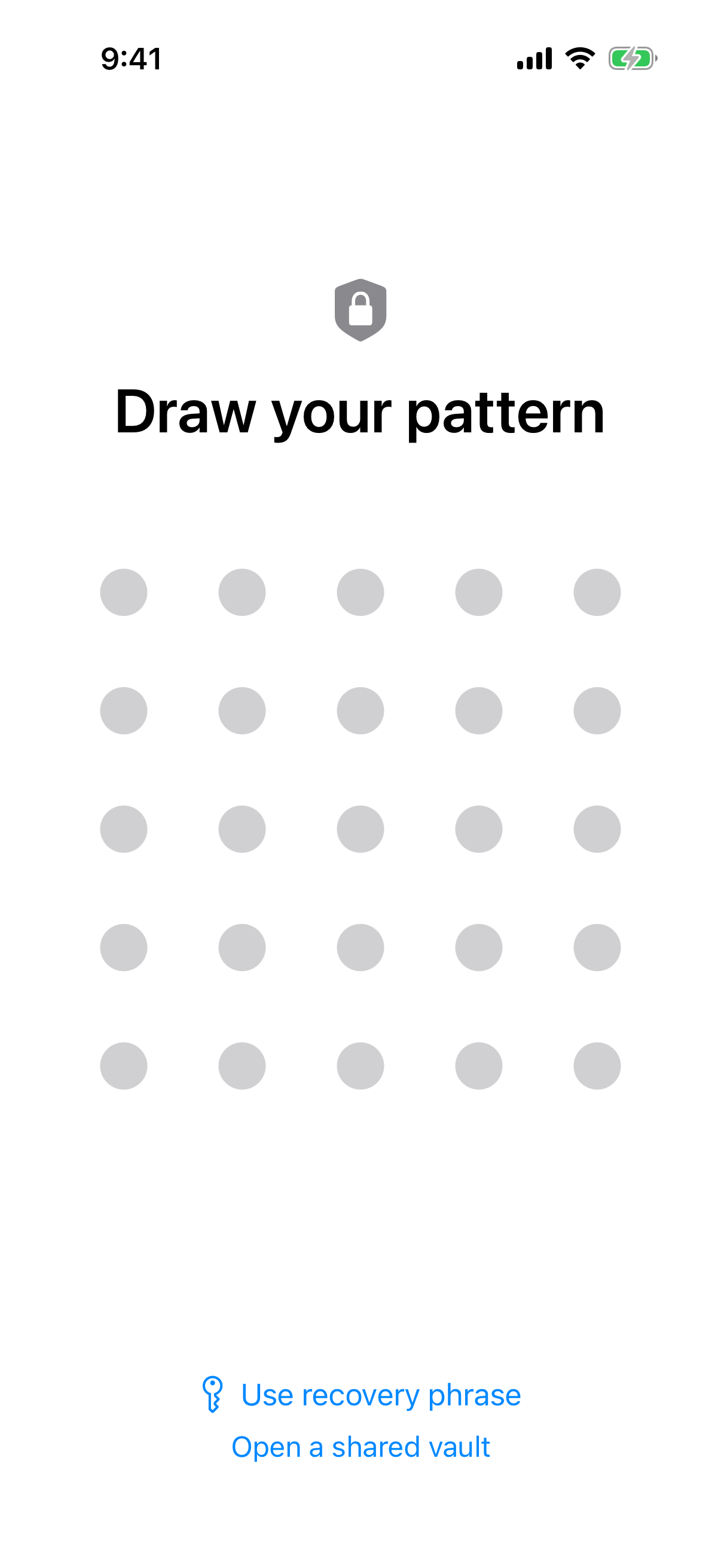
There is no login form: the pattern is the whole way in.
What happens if you forget your credentials
This is where the two models diverge most sharply, and it's worth being precise instead of reassuring. In weavevault.app, each vault — not each account, since there is no account — has its own 12-word recovery phrase, generated when you create that vault. If you forget your pattern, the recovery phrase gets you back in. If you lose the recovery phrase too, the vault is gone: "we do not hold a copy, and there is no support process that can override this." That's a deliberate design choice, not a limitation we're apologizing for — it's the same guarantee that makes the pattern meaningful in the first place.
We can't tell you what happens when you forget your Vaulty login, because we don't know, and we're not going to guess. Vaulty's account-recovery process is not independently verified by us, and inventing a plausible-sounding password-reset flow just to make a comparison point would be exactly the kind of fabrication this page is trying to avoid. If an email-based reset with support involved is what you want, that's a real feature an account-based app can offer that a recovery-phrase model cannot — check Vaulty's own documentation directly for how theirs actually works.
The honest framing: a recovery phrase means no one — not us, not a support agent, not an attacker who compromises a support inbox — can get into your vault without it. An account with email recovery means you have a path back in even if you lose everything, at the cost of that same path being a target. Neither is strictly safer; they protect against different failure modes.
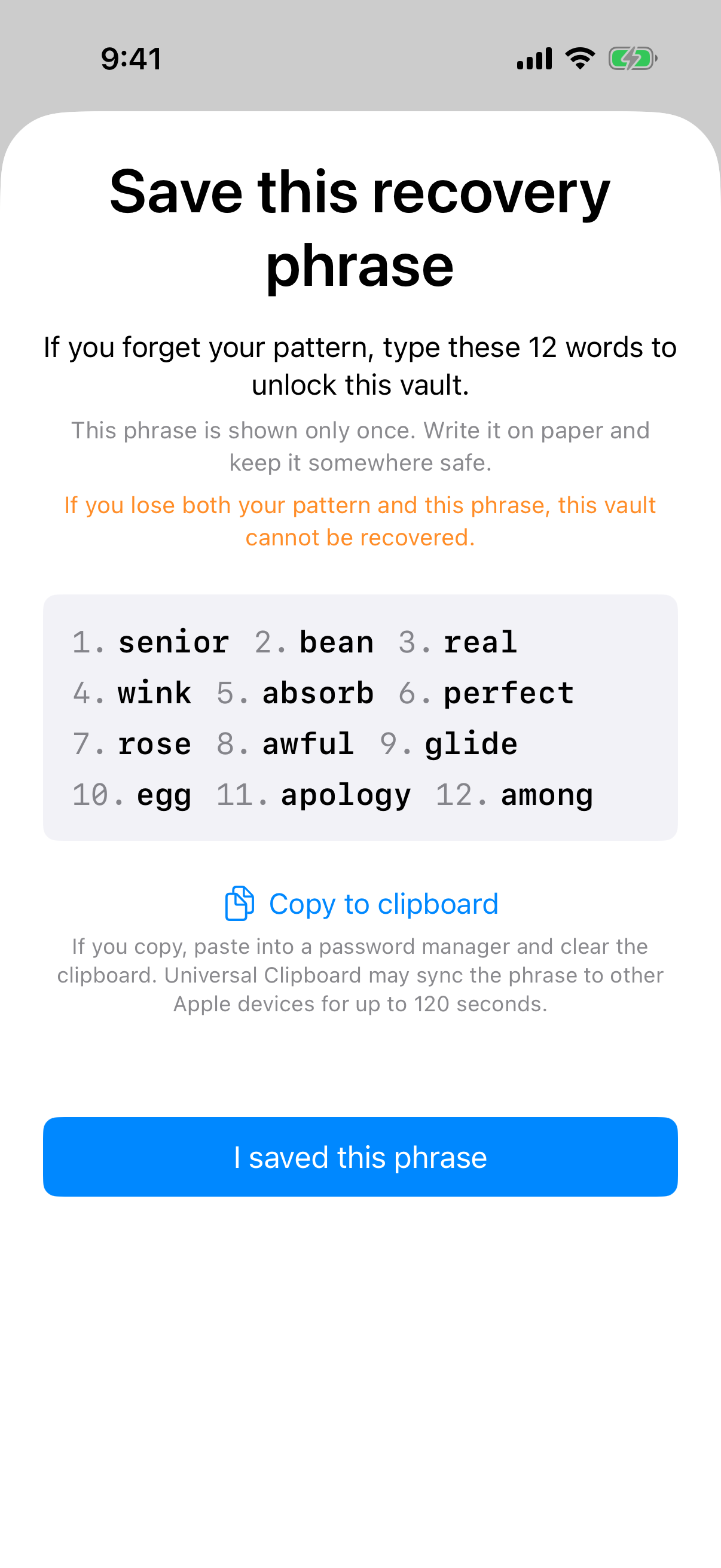
Each vault gets its own 12-word recovery phrase; lose both it and the pattern and the vault cannot be recovered.
Where the unlock credential is stored
Storage location matters more than most people think, because a credential that's easy to recover is often a credential that's stored somewhere recoverable — a trade-off with security implications either way. In weavevault.app, the pattern is never written to disk in any form: not to a local file, not to a database, not to the iOS or macOS Keychain. It exists only as the thing you draw and the thing the app checks against, in memory, at the moment you unlock a vault.
We haven't found, and aren't claiming to have found, any verified description of how or where Vaulty stores its login credentials. It may use the Keychain, a hashed local store, a server-side session, or something else entirely; without a verified source describing it, saying anything more specific would mean inventing a Vaulty security claim, which is exactly what this page commits not to do. If where your credential lives matters to your decision, that's a question worth putting directly to Vaulty rather than inferring an answer from a competitor's comparison page.
What we can stand behind is our own side of this: nothing about unlocking a weavevault.app vault touches disk. That's a narrow, specific, verifiable claim, and it's more useful than a vague one about "security" — see how encrypted photo storage actually works if you want the fuller technical picture of what a photo vault app is doing under the hood.
Pricing and what the free tier actually includes
The free tier of weavevault.app is not a crippled trial — it's a real, ongoing tier with specific limits: up to 3 vaults, and up to 50 files per vault. Inside those limits, everything works, including browsing and exporting your own files, which continues to work even if a Pro subscription lapses. You are never locked out of files you already have; a lapsed Pro subscription just stops new backups, it doesn't hold existing files hostage.
The split that matters most is this: enabling backup requires Pro, but restoring from a backup never does. That asymmetry is deliberate — we don't think you should have to pay to get your own files back, only to have us protect new ones going forward. If you're evaluating whether the free tier is a real option or a funnel toward Pro, that's the detail to check, and it's the one detail on this page we'd ask you to verify against our current pricing before you commit, rather than take it on faith from any comparison article, including this one.
We don't have verified, current pricing or storage-limit data for Vaulty, so we're not going to put a number next to theirs — a made-up storage cap or price point would be worse than no comparison at all. If pricing is the deciding factor for you, check Vaulty's own current pricing directly; we'd rather send you there than guess.
Verdict
Pick weavevault.app if the idea of an account — any account, anywhere — is itself the risk you're trying to eliminate. If you want a vault that no one, including us, can be socially engineered, phished, or subpoenaed into unlocking via a password reset, and you're comfortable being the sole owner of a 12-word recovery phrase with no safety net if you lose it, the no-account model is built for exactly that. The free tier (3 vaults, 50 files each) is enough to try this without commitment, and browsing your own files never gets held hostage by a lapsed subscription.
Pick Vaulty if what you actually want is a traditional account: one you can recover by email, one where a support team can help if you're stuck, and one that doesn't ask you to be personally responsible for a recovery phrase with no override. That's not a lesser choice — for a lot of people, the safety net of an account-recoverable login is worth more than the guarantee that no one else can get in. If that's you, an account-based login model like Vaulty's is a legitimate, reasonable fit, and we'd rather tell you that plainly than pretend a login screen is a flaw.